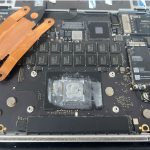

Gaming computers are powerful machines designed to deliver immersive experiences. However, keeping them in peak condition requires regular maintenance to ensure optimal performance, longevity, and reliability. Neglecting proper care can lead to overheating, lag, or even hardware failure. This guide explores the essential steps for gaming computer maintenance and why Maple Cell Phone & Laptop Repair Services is the go-to solution for professional assistance.
Why Is Gaming Computer Maintenance Important?
Gaming computers operate at high performance levels, often running demanding games and applications. Regular maintenance is crucial to:
- Enhance Performance: Proper care ensures smooth gameplay and reduces lag or stuttering.
- Prevent Overheating: Cleaning components helps maintain safe operating temperatures, preventing damage.
- Extend Lifespan: Maintaining hardware and software increases the longevity of your gaming setup.
- Cost Efficiency: Avoid expensive repairs or replacements by addressing issues early.
Essential Steps for Gaming Computer Maintenance
1. Clean the Hardware Regularly
Dust accumulation is a leading cause of overheating and hardware malfunction.
- Dust Filters: Use dust filters on intake fans to minimize buildup.
- Cleaning Tools: Use compressed air to clean vents, fans, and other internal components.
- Frequency: Clean your gaming PC every three to six months, depending on usage and environment.
2. Monitor and Maintain Temperature Levels
High-performance gaming generates heat, which can damage components.
- Check Temperatures: Use software like HWMonitor to track CPU and GPU temperatures.
- Apply Thermal Paste: Reapply thermal paste to the CPU and GPU every 1-2 years to maintain efficient heat transfer.
- Cooling Solutions: Ensure fans and liquid cooling systems function properly.
3. Update Software and Drivers
Outdated software can cause compatibility issues and performance drops.
- Graphics Drivers: Regularly update your GPU drivers for the latest performance enhancements.
- Operating System: Keep your OS updated to patch security vulnerabilities and improve system stability.
- Game Updates: Ensure your games are updated to their latest versions for smoother gameplay.
4. Manage Storage and Files
A cluttered hard drive slows down performance and affects loading times.
- Disk Cleanup: Remove unnecessary files and uninstall unused programs.
- Defragment Hard Drives: For HDDs, defragment to organize data more efficiently. (Not required for SSDs.)
- Upgrade Storage: Consider upgrading to an SSD for faster load times.
5. Optimize Gaming Settings
Adjust game and system settings for the best performance.
- Graphics Settings: Balance quality and performance in-game settings.
- Power Settings: Set your system to “High Performance” mode in the power options.
- Background Processes: Close unnecessary programs while gaming.
6. Secure Your System
Gaming computers are vulnerable to cyber threats.
- Antivirus Software: Install reliable antivirus and anti-malware software.
- Firewall: Enable the firewall to block unauthorized access.
- Avoid Suspicious Links: Do not download files from untrusted sources.
7. Inspect and Upgrade Hardware
Regular inspections ensure your gaming computer remains up to date.
- Check for Wear: Inspect cables, fans, and other components for signs of damage.
- Upgrade Components: Upgrade RAM, GPU, or CPU if needed to handle new games.
Why Choose Maple Cell Phone & Laptop Repair Services for Gaming Computer Maintenance?
Maple Cell Phone & Laptop Repair Services is a trusted name for professional computer repairs and maintenance in the Thornhill area. Here’s why they’re the ideal choice for gaming computer owners:
1. Certified Technicians
The team at Maple comprises experienced professionals skilled in diagnosing and repairing high-performance gaming systems.
2. Comprehensive Services
From hardware upgrades to software optimization, Maple offers a full range of gaming computer maintenance services.
3. Affordable Pricing
Their competitive rates ensure you receive expert care without exceeding your budget.
4. Quick Turnaround Time
With efficient service, you won’t have to endure extended downtime for repairs or upgrades.
5. Warranty on Repairs
All services come with a warranty, giving you confidence in the quality of their work.
Signs Your Gaming Computer Needs Professional Maintenance
If you notice any of the following issues, it may be time to consult a professional like Maple Cell Phone & Laptop Repair Services:
- Frequent Overheating: Your system shuts down during gameplay due to heat issues.
- Performance Drops: Games lag or crash unexpectedly.
- Unusual Noises: Clicking or buzzing sounds may indicate failing hardware.
- Slow Boot Times: Your computer takes longer than usual to start or load applications.
- Connectivity Issues: Network lags or disconnections during online gameplay.
Tips to Maximize Gaming Computer Performance
- Invest in a Surge Protector: Protect your system from power surges.
- Use Quality Peripherals: High-quality keyboards, mice, and monitors can enhance your gaming experience.
- Regularly Backup Data: Use external drives or cloud storage to safeguard your files.
- Monitor Resource Usage: Use Task Manager or third-party software to ensure efficient resource allocation.
By following proper maintenance routines and relying on expert services like Maple Cell Phone & Laptop Repair Services, you can keep your gaming computer performing at its best for years to come. Whether it’s routine cleaning, hardware upgrades, or troubleshooting, Maple ensures your system runs smoothly so you can enjoy uninterrupted gaming.
FAQs About Gaming Computer Maintenance
1. How Often Should I Clean My Gaming Computer?
It’s recommended to clean your gaming computer every three to six months to prevent dust buildup and maintain optimal performance.
2. What Are the Signs My Gaming Computer Needs Maintenance?
Signs include overheating, lagging during games, unusual noises, slow boot times, and crashes during gameplay.
3. Can I Perform Hardware Upgrades Myself?
While simple upgrades like adding RAM are manageable, complex upgrades such as GPU or CPU replacements are best handled by professionals.
4. How Can I Improve My Gaming Computer’s Performance Without Upgrading Hardware?
Update drivers, manage background processes, optimize in-game settings, and clean up storage to improve performance.
5. Does Maple Cell Phone & Laptop Repair Services Offer Maintenance for Custom-Built Gaming PCs?
Yes, Maple’s experienced technicians provide maintenance and repair services for both custom-built and pre-built gaming PCs.