15 Expert Facts About iPhone Motherboard Data Recovery & Repair (2026)
iPhone Motherboard Data Recovery has become one of the most important repair services for customers whose iPhone suddenly stops working. Whether your device won’t power on, continuously restarts, has liquid damage, or no longer charges, the motherboard (also called the logic board) is the heart of your iPhone. Understanding what causes motherboard failure and how professional technicians repair these complex issues can help you save both your device and your valuable data.
At Maple Laptop Services, located at 360 Newkirk Rd., Richmond Hill, we provide advanced iPhone motherboard repair, CPU repair, microsoldering, and professional data recovery for customers throughout Richmond Hill, Vaughan, Markham, Maple, Aurora, Newmarket, King City, Thornhill, Concord, and Woodbridge.
iPhone Motherboard Data Recovery: What Is an iPhone Motherboard?
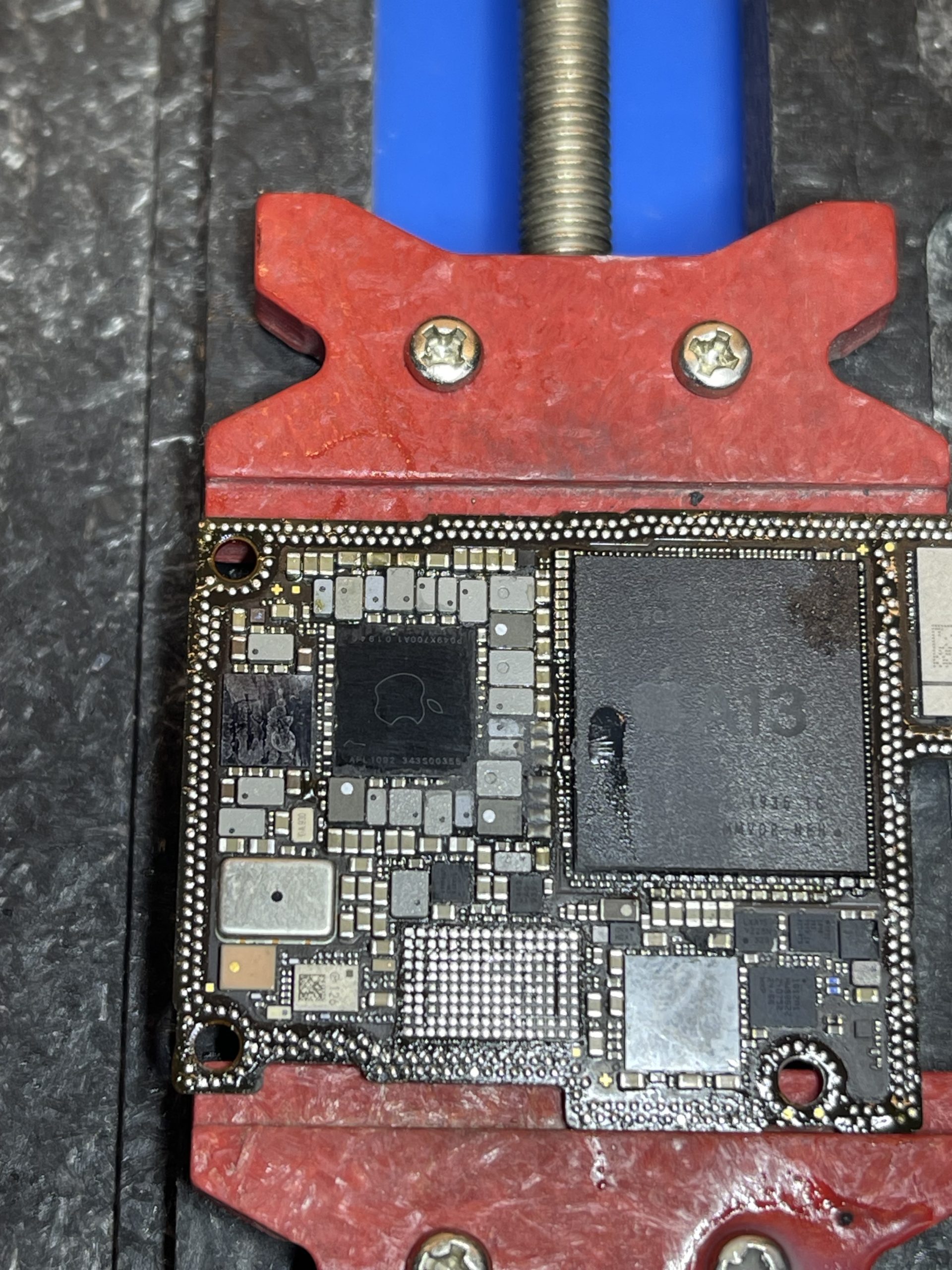
The motherboard, also called the logic board, is the main circuit board inside every iPhone. It connects the CPU, memory chips, charging circuit, Wi-Fi IC, cellular IC, camera circuits, audio IC, power management IC, storage chips, Face ID components, and hundreds of microscopic electronic parts.
If the motherboard becomes damaged, many or all phone functions may stop working.
iPhone Motherboard Data Recovery: What Happens If an iPhone Motherboard Is Damaged?
One of the most common Google searches is, “What happens if the iPhone motherboard is damaged?” The answer depends on which electronic components have failed.
Common Symptoms of Motherboard Failure
- No power.
- Apple logo boot loop.
- Random restarting.
- Charging but not turning on.
- No charging.
- No Wi-Fi.
- No cellular signal.
- No Bluetooth.
- Black screen.
- No touch response.
- Camera not working.
- Microphone failure.
- Speaker failure.
- Battery drains rapidly.
- Phone overheats.
Sometimes these symptoms are caused by a damaged IC chip rather than the entire motherboard, which is why professional diagnostics are essential.
iPhone Motherboard Data Recovery: What Causes Motherboard Failure in iPhone?
Many customers ask, “What causes motherboard failure in iPhone?” There is rarely a single cause. Most motherboard problems develop because of physical damage, electrical faults, or liquid exposure.
1. Liquid Damage
Water, coffee, juice, soda, and humidity can corrode microscopic components on the motherboard. Corrosion continues spreading even after the phone appears to dry, which is why immediate professional cleaning is recommended.
2. Hard Drops
A severe drop can crack solder joints beneath IC chips or even fracture the motherboard itself. Modern iPhones contain extremely dense circuitry, making them sensitive to impact damage.
3. Power Surges
Using damaged charging accessories or unstable electrical sources can damage charging ICs or power management circuits.
4. Poor Previous Repairs
Improper repair techniques, excessive heat, or incorrect soldering can permanently damage motherboard components.
5. Manufacturing Wear
After years of use, thermal cycling and normal aging may contribute to failures in solder joints or integrated circuits.
How Does an iPhone Motherboard Get Damaged?
Besides liquid and impact damage, motherboard failures may occur because of overheating, battery swelling, electrical shorts, corrosion, or failed integrated circuits. Professional microsoldering technicians use specialized diagnostic equipment to locate the exact fault before replacing individual chips.
iPhone Motherboard Data Recovery: Can a Damaged Motherboard Be Repaired?
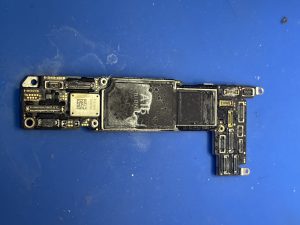
Yes. In many cases, motherboard repair is possible without replacing the entire logic board. Experienced technicians perform board-level repairs by replacing only the damaged components.
Common Motherboard Repairs
- Power IC replacement.
- Charging IC replacement.
- Wi-Fi IC repair.
- Network IC repair.
- Audio IC repair.
- CPU reballing (when appropriate).
- NAND storage repair.
- Backlight circuit repair.
- Camera IC repair.
- Face ID circuit diagnostics.
What Is iPhone CPU Repair?
The CPU is the brain of the iPhone. It communicates with memory, storage, cameras, Face ID, charging systems, wireless communications, and every major component inside the phone.
CPU-related failures require advanced microsoldering equipment and significant experience. Depending on the damage, repairs may involve reballing, replacing supporting circuits, or restoring damaged connections beneath the processor.
iPhone Motherboard Data Recovery: Can My Data Be Saved?
One of the biggest concerns customers have is losing their photos, contacts, videos, messages, and business files. Fortunately, a damaged motherboard does not always mean your data is lost.
Professional data recovery technicians focus on restoring the logic board to a functional state long enough to safely retrieve the information stored on the device.
Data Recovery May Be Possible If:
- The motherboard has liquid damage.
- The phone has no power.
- The charging circuit has failed.
- The phone is stuck on the Apple logo.
- The CPU support circuitry has failed.
- The phone overheats and shuts down.
Every case is different, which is why a professional evaluation is recommended before assuming the data cannot be recovered.
iPhone Motherboard Data Recovery: Understanding CPU, NAND, and Logic Board Repairs
Many customers believe a damaged iPhone motherboard means the phone is beyond repair. Fortunately, that is not always true. Modern board-level repair techniques allow experienced microsoldering technicians to replace individual integrated circuits (ICs), repair damaged traces, and recover valuable data without replacing the entire logic board.
What Is the CPU in an iPhone?
The CPU (Central Processing Unit) is the brain of your iPhone. It communicates with nearly every component including the NAND storage, RAM, cameras, Face ID sensors, charging circuits, Wi-Fi, Bluetooth, GPS, and touchscreen. If the CPU cannot communicate properly with these components, the iPhone may fail to start or behave unpredictably.
Common Symptoms of CPU or Motherboard Problems
- Apple logo boot loop.
- Random restarting.
- No power.
- Overheating.
- No display.
- Touch not responding.
- Phone freezes frequently.
- Battery drains unusually fast.
- Charging issues.
iPhone Motherboard Data Recovery: Common IC Chips That Fail
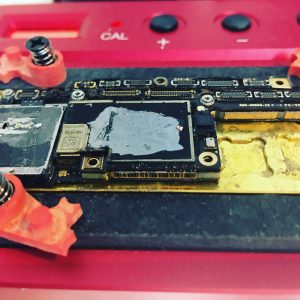
An iPhone motherboard contains dozens of integrated circuits that perform specific functions. Failure of one IC chip does not necessarily mean the entire motherboard needs replacement.
Power Management IC (PMIC)
The Power Management IC controls voltage distribution throughout the phone. When it fails, the iPhone may not power on, may restart continuously, or may overheat.
Charging IC
The charging IC manages communication between the charging port, battery, and motherboard. A faulty charging IC may prevent charging even if the charging port itself is not damaged.
Wi-Fi IC
If Wi-Fi cannot be enabled, appears grayed out, disconnects frequently, or does not detect networks, the Wi-Fi IC or surrounding circuitry may require repair.
Network / Baseband IC
Problems with cellular service, “No Service” messages, or inability to activate the phone may be caused by faults within the network circuitry.
Audio IC
Audio IC failure can cause microphone problems, speaker issues, call audio failures, or voice memo recording problems.
Camera IC
A damaged Camera IC may prevent the rear or front cameras from functioning correctly, even after replacing the camera module.
GPS IC
If your location is inaccurate or GPS navigation fails, the GPS circuitry may require professional diagnosis.
NAND Storage Chip
The NAND chip stores your photos, videos, contacts, applications, and personal files. Professional data recovery often focuses on repairing the motherboard sufficiently for the NAND chip to become accessible again.
Can iPhone Motherboard Damage Be Fixed?
Yes. Many motherboard problems are repairable depending on the extent of the damage. Professional technicians perform board-level diagnostics using microscopes, thermal cameras, oscilloscopes, digital multimeters, and specialized microsoldering equipment to identify failed components before replacing them.
Professional Motherboard Repair May Include:
- Power IC replacement.
- Charging IC replacement.
- Audio IC replacement.
- Wi-Fi IC replacement.
- Network IC replacement.
- Camera IC replacement.
- Backlight circuit repair.
- Short circuit diagnostics.
- Microsoldering repairs.
- CPU support circuit repairs.
iPhone Logic Board Data Recovery
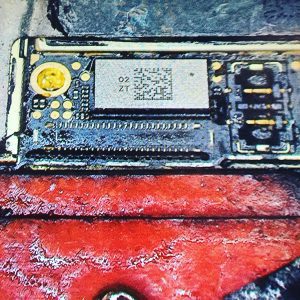
Many customers searching for iPhone logic board data recovery are primarily concerned about family photos, business documents, videos, and important memories. In many situations, professional repair technicians do not need to restore the phone to full working condition. Instead, they focus on repairing only the circuits necessary to temporarily power the device and safely recover the stored data.
Data Recovery Is Commonly Requested After:
- Liquid damage.
- No power.
- Motherboard short circuits.
- Charging failures.
- Boot loops.
- Drop damage.
- Fire or heat damage.
- Failed repair attempts.
Why Professional Microsoldering Matters
Motherboard repairs involve components that are often smaller than a grain of rice. Professional microsoldering requires years of experience, specialized equipment, precision soldering stations, microscopes, infrared heating systems, and advanced diagnostic tools. Attempting these repairs without proper equipment can permanently damage the motherboard and reduce the chances of successful data recovery.
Complete iPhone Repair Services
At Maple Laptop Services, we provide comprehensive iPhone repair services beyond motherboard repair and data recovery.
Our Services Include:
- iPhone Screen Replacement.
- Screen Replacement Near Me.
- iPhone Battery Replacement.
- iPhone Battery Replacement Near Me.
- Phone Repair Near Me.
- Phone Repair Richmond Hill.
- Phone Repair Vaughan.
- Cell Phone Repair Richmond Hill.
- Cell Phone Repair Vaughan.
- iPhone Camera Lens Repair.
- Fix iPhone Camera Lens.
- iPhone Camera Lens Replacement.
- iPhone Camera Glass Repair.
- Charging Port Replacement.
- Charging IC Repair.
- Power IC Repair.
- Speaker Repair.
- Microphone Repair.
- Volume Button Repair.
- Power Button Repair.
- Back Glass Replacement.
- LCD IC Programming.
- Glass Refurbishment.
- Motherboard Repair.
- CPU Repair.
- Data Recovery Services.
We Repair Every iPhone Model
Our technicians repair virtually every iPhone model including the iPhone Air, iPhone 17e, iPhone 17, iPhone 17 Pro, iPhone 17 Pro Max, iPhone 16 Series, iPhone 15 Series, iPhone 14 Series, iPhone 13 Series, iPhone 12 Series, iPhone 11 Series, iPhone XS, XS Max, XR, X, and iPhone SE.
Serving Richmond Hill and York Region
Conveniently located at 360 Newkirk Rd., Richmond Hill, Maple Laptop Services proudly serves Richmond Hill, Vaughan, Markham, Maple, Aurora, Newmarket, King City, Thornhill, Concord, and Woodbridge. Whether you are searching for iPhone repair near me, iPhone repair Richmond Hill, iPhone repair in Vaughan, iPhone repair in Maple, phone fix near me, or phone data recovery near me, our experienced technicians provide professional diagnostics, board-level repair, and expert data recovery services.
iPhone Motherboard Data Recovery FAQ
What Happens If an iPhone Motherboard Is Damaged?
If the motherboard is damaged, your iPhone may not turn on, become stuck on the Apple logo, restart continuously, fail to charge, lose Wi-Fi or cellular connectivity, overheat, or experience camera and audio problems. The exact symptoms depend on which circuit or IC chip has failed. Fortunately, many motherboard problems can be repaired by an experienced microsoldering technician.
What Causes Motherboard Failure in iPhone?
The most common causes include liquid damage, accidental drops, power surges, battery failures, overheating, corrosion, poor-quality charging accessories, manufacturing defects, and previous improper repair attempts.
How Does an iPhone Motherboard Get Damaged?
Motherboard damage often occurs when the phone experiences physical impact, water exposure, electrical shorts, battery swelling, or excessive heat. Over time, corrosion or damaged solder joints can also lead to motherboard failure.
Can an iPhone Motherboard Be Repaired?
Yes. In many cases, individual IC chips, damaged circuits, or shorted components can be repaired or replaced without replacing the complete logic board. Professional diagnostics are required to determine whether repair is possible.
Can Data Be Recovered From a Dead iPhone?
Yes. If the storage chip containing your data remains intact, professional motherboard repair can often restore the device temporarily so important files, photos, videos, contacts, and documents can be recovered.
What Is iPhone Logic Board Data Recovery?
Logic board data recovery involves repairing the motherboard just enough to safely access the NAND storage chip and recover important personal or business information. This service is commonly requested after liquid damage or no-power failures.
How Long Does Motherboard Repair Take?
Repair time depends on the severity of the damage and the availability of replacement components. Simple board repairs may be completed quickly, while complex data recovery cases can require additional diagnostic time.
Is It Better to Repair or Replace an iPhone?
In many situations, repairing the motherboard is significantly more affordable than replacing the entire phone, especially if your data is valuable or the device is a recent model.
Can a Bad Battery Damage the Motherboard?
A swollen or internally damaged battery can contribute to electrical faults and may affect surrounding motherboard components. Replacing a failing battery promptly helps reduce the risk of additional damage.
Do You Repair More Than Motherboards?
Yes. Maple Laptop Services provides complete iPhone repair solutions including screen replacement, battery replacement, charging port repair, camera lens replacement, camera glass repair, microphone repair, speaker repair, Wi-Fi repair, Face ID diagnostics, back glass replacement, and advanced data recovery.
Why Choose Maple Laptop Services for iPhone Motherboard Data Recovery?
When you trust Maple Laptop Services, your device is handled by technicians experienced in advanced board-level diagnostics and microsoldering. We understand that every repair is different, especially when important personal or business data is at risk.
Why Customers Choose Us
- Advanced motherboard diagnostics.
- Professional microsoldering equipment.
- Experienced CPU and IC chip repair.
- Charging IC, Power IC, Audio IC, Wi-Fi IC, and Network IC replacement.
- Professional iPhone data recovery services.
- High-quality replacement parts.
- Honest repair recommendations.
- Fast turnaround whenever possible.
- Serving Richmond Hill and the surrounding York Region communities.
Serving Richmond Hill, Vaughan, Markham, Maple, Aurora, Newmarket, Thornhill, Concord, Woodbridge, and King City
Conveniently located at 360 Newkirk Rd., Richmond Hill, Maple Laptop Services proudly serves customers across Richmond Hill, Vaughan, Markham, Maple, Aurora, Newmarket, King City, Thornhill, Concord, and Woodbridge.
Whether you are searching for iPhone repair near me, phone repair near me, iPhone repair Richmond Hill, iPhone repair in Vaughan, iPhone repair in Maple, phone repair Vaughan, cell phone repair Richmond Hill, cell phone repair Vaughan, phone fix near me, screen replacement near me, iPhone battery replacement, iPhone battery replacement near me, iPhone camera lens repair, fix iPhone camera lens, iPhone camera lens replacement, iPhone camera glass repair, iPhone motherboard data recovery, iPhone logic board data recovery, phone data recovery near me, iPhone data recovery near me, or data recovery services, our team is here to help.
Visit Maple Laptop Services Today
If your iPhone has stopped working because of motherboard failure, liquid damage, accidental drops, charging problems, boot loops, or no power, don’t assume your phone or your data is lost. Professional diagnostics and board-level repair can often restore your device or recover your valuable information.
Visit Maple Laptop Services at 360 Newkirk Rd., Richmond Hill for expert iPhone motherboard repair, CPU repair, logic board repair, data recovery, battery replacement, screen replacement, charging port repair, camera repair, and complete iPhone repair services. We proudly serve Richmond Hill, Vaughan, Markham, Maple, Aurora, Newmarket, King City, Thornhill, Concord, and Woodbridge with reliable, professional, and customer-focused repair solutions.