Quick answer: MacBook water damage can affect the logic board and access to important files. If your MacBook stopped working after a water, coffee, or tea spill, the first priority is to prevent further damage—not to force it to turn on. A liquid-damaged MacBook may have a repairable logic-board fault, but the right approach depends on what is damaged and whether the files stored on the computer are backed up. For a MacBook containing irreplaceable photos, business documents, or client data, discuss data preservation before approving a board replacement, erase, or reinstall.
At Maple Cell Phone & Laptop Repair, our physical repair shop is at 360 Newkirk Rd, Richmond Hill, Ontario. We serve customers travelling from Toronto, North York, Vaughan, Markham, and surrounding GTA communities. This article explains the decision-making process for MacBook Pro and MacBook Air owners, rather than promising that every damaged motherboard or file can be saved.
MacBook Water Damage: Immediate Steps After a Spill
If the spill has just occurred and the MacBook is still on, shut it down if you can do so safely. Disconnect the charger and external devices. Avoid using the keyboard, continuing work, or testing charging while moisture might still be present. Liquid in a connector can contribute to corrosion, and repeated power attempts may aggravate an electrical fault.
Do not use a hair dryer, oven, or heat gun. Do not pour cleaning liquid into the ports, insert cotton swabs into connectors, or rely on uncooked rice to remove contamination. Drying the exterior cannot establish whether liquid has reached the logic board, keyboard assembly, battery connections, or internal power circuitry.
If there is visible battery swelling, smoke, a burning smell, or unusual heat, stop handling or charging the MacBook and seek professional assistance. Avoid opening a damaged battery enclosure yourself. If the device contains important files, tell the technician that preserving data is a priority before any procedure is performed.
Why does a MacBook sometimes fail hours or days after a spill?
The extent of liquid damage is not always clear immediately. A drink may affect a connector or trackpad first, while moisture and conductive residues can cause intermittent faults or corrosion elsewhere. A MacBook may start once, then stop charging or powering on later. Conversely, a no-power symptom can originate in the charger, charging circuit, keyboard or other component rather than requiring a full logic-board replacement.
Coffee, sugary drinks, and liquids containing salts can leave residues after visible moisture dries. That is why a dry-looking keyboard is not proof that the electronics are safe. Professional diagnosis is more informative than repeating startup attempts or treating every no-power MacBook as a dead motherboard.
Logic-board repair or replacement: what is the difference?
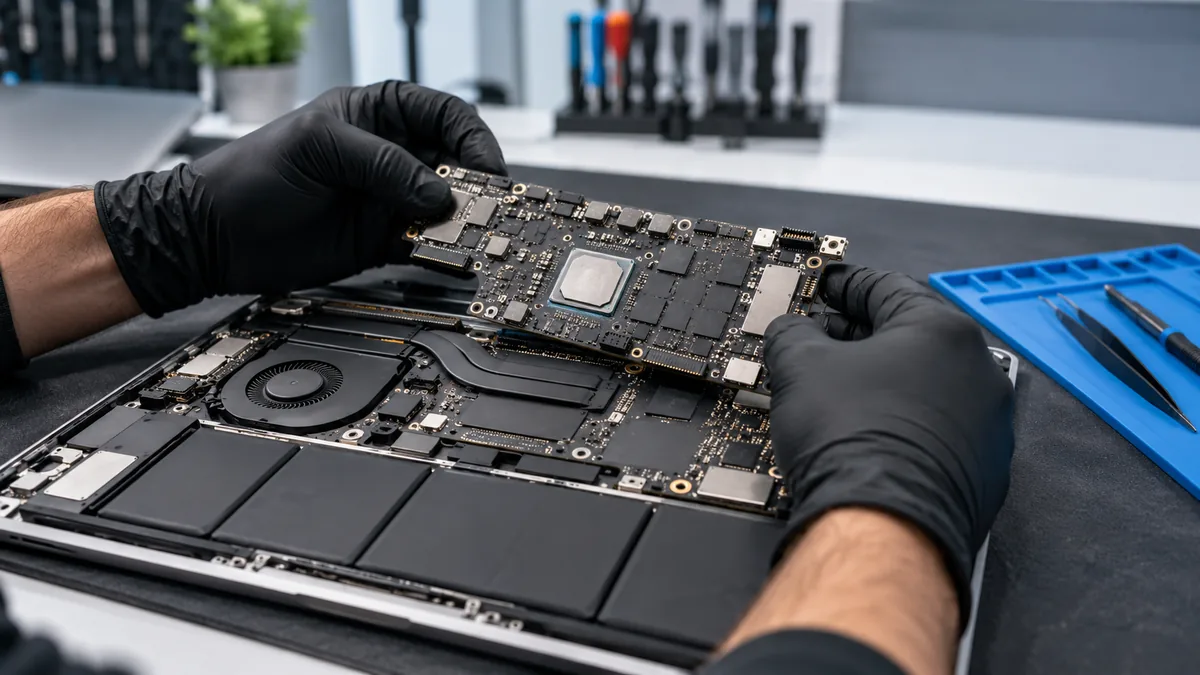
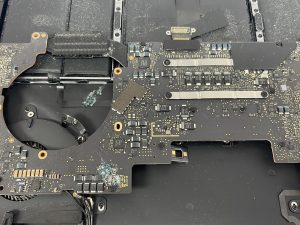
The logic board connects the MacBook’s power-management circuits, processor, storage, ports, and other components. A repair assessment may identify an isolated damaged connector or power component, a larger area of corrosion, or a failure that is not economical to repair. In some cases, component-level work may be practical; in others, replacing a larger assembly may be the safer or more reliable option.
Do not assume that swapping a board is the quickest route to retaining personal files. On many newer MacBooks, storage is integrated with the device and tied to hardware-backed encryption. A replacement board may restore a working computer without providing access to files encrypted for the original hardware. If the MacBook contains important data, ask whether a data-preserving repair approach is possible before authorizing irreversible steps.
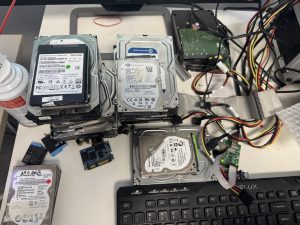
Data recovery may be the first objective, not the final step
Two customers with the same no-power symptom can need very different services. Someone with a recent verified Time Machine or cloud backup may prioritize getting a working MacBook at a reasonable cost. Someone whose only copy of a project is on the damaged MacBook may instead prioritize recovering that data—even if the device itself is not economical to keep using.
Tell the technician whether a backup exists, when it was last checked, and whether the MacBook uses FileVault encryption. Keep any password and recovery key secure and discuss how credentials would be handled before providing them. Apple documents that internal storage encryption on Macs with Apple silicon or T2 security hardware depends on device-associated security keys. Removing a chip and connecting it to another computer is not a universal recovery method.
Consider our Data Recovery Services page if your priority is preserving files. No responsible shop can promise a particular recovery result before assessing the actual failure and the state of encryption.
MacBook symptoms that can appear after water damage
- Completely no power: The MacBook does not start or show an expected charging response. This requires power-path and board diagnosis; it does not identify one failed chip.
- Battery not charging: The issue may involve the adapter, charging port, controller, battery, or circuitry exposed to liquid.
- Black or flickering display: A screen, backlight, cable, power, or logic-board issue can create a similar symptom.
- Keyboard or trackpad failures: Liquid can affect input components even while the computer appears to run normally.
- Unexpected shutdowns: Intermittent electrical faults can resemble software problems and should not be repeatedly stress-tested after a spill.
- Corrosion or residue: Visible contamination raises concern, but a clean-looking exterior cannot rule out hidden damage.
Should you try starting the MacBook again to back it up?
When liquid exposure is recent or internal damage is suspected, repeated power-on tests are not the right way to attempt a backup. If the MacBook is already stable and has been professionally assessed, a verified backup may become part of the recovery plan. If it will not start, discuss options first. Running a device with a short or active corrosion can create additional risk.
There is an important distinction between Apple’s general no-power troubleshooting and a recent liquid-exposure situation. General guidance may include checking chargers or attempting a restart. Those steps should not be applied mechanically to a wet or potentially shorted MacBook.
What does a proper water-damage motherboard assessment involve?
A sensible assessment begins with your MacBook’s exact model, the liquid involved, the circumstances of the spill, and the symptoms after it happened. The technician may review connector condition, power circuitry, obvious corrosion, and the feasibility of testing components without risking stored data. The exact tools and tests depend on the model and fault.
Before work begins, ask the shop to explain the intended diagnostic steps, whether parts may be replaced, whether any process can erase information, and what will happen if the board cannot be repaired. A repair estimate should distinguish inspection, cleaning, component-level repair, replacement parts, and any separate data-recovery work where applicable.
Is logic-board repair always cheaper than buying a new MacBook?
No. A localized issue may be repairable at a lower cost than replacing a complete computer, but extensive corrosion, damaged storage-related circuitry, or multiple failed components can change the economics. Consider the MacBook’s age and condition, repair cost, turnaround, whether replacement parts are available, and the value of your existing data. There is no universal price or success rate for every spill.
Apple’s standard limited warranty does not generally cover accidental liquid damage. A qualifying AppleCare plan may provide accidental-damage service subject to its terms and service fees. Confirm your own coverage instead of assuming either a free repair or a guaranteed third-party repair outcome.
Questions to ask before authorizing MacBook water-damage repair
- Have you confirmed the fault instead of assuming the entire motherboard must be replaced?
- Is this a component-level repair, a board replacement, or a data-recovery assessment?
- Will any test, reset, or replacement affect my ability to retrieve files?
- Does my particular MacBook model have storage or encryption constraints?
- What is the diagnostic cost, how will I receive an estimate, and what happens if repair is not possible?
- How are personal files and any necessary login credentials handled?
- What testing and service terms apply to the proposed repair?
Serving Toronto-area customers from our Richmond Hill shop
Customers searching for MacBook water damage repair in Toronto can contact Maple Cell Phone & Laptop Repair to discuss whether their MacBook should be assessed for a liquid-damaged logic board or a data-preservation problem. Our physical shop is in Richmond Hill, not downtown Toronto: 360 Newkirk Rd, Richmond Hill, Ontario. We also serve customers visiting from North York, Markham, Vaughan, and nearby communities.
For more information about the service itself, see our MacBook water-damage and motherboard-repair service information. If you want to arrange an assessment, contact the Richmond Hill repair shop or call 416-587-7105. Explain what was spilled, whether the computer has been switched on since, the MacBook model, and whether data recovery is important.
Frequently asked questions
Can a MacBook logic board be repaired after a water spill?
Sometimes. The result depends on the components affected, extent of corrosion, model, and whether repairs are practical. A no-power condition alone cannot predict the outcome.
Can I still recover files if my MacBook won’t turn on?
Possibly, but it depends on the fault, storage design, and encryption state. On newer Macs, protecting the original hardware and security keys can be important; replacing the logic board is not equivalent to transferring your old files.
Is it safe to charge a MacBook after it gets wet?
Do not charge a recently wet device or connector. Apple warns that charging with a wet USB-C port can cause corrosion and permanent damage. If you suspect internal liquid intrusion, arrange an assessment instead of using charging to test it.
Will AppleCare cover accidental liquid damage?
Coverage depends on the applicable AppleCare plan, terms, and service fees. Apple’s standard limited warranty generally excludes accidental liquid exposure.
Do you have a MacBook repair shop in Toronto?
Our physical repair location is 360 Newkirk Rd in Richmond Hill. We serve customers from Toronto and surrounding GTA communities; we do not describe the Richmond Hill location as a Toronto storefront.