Did your iPad slip off the couch, crack on a tile floor, or suddenly stop responding to touch? A broken screen can interrupt schoolwork, business, video calls, drawing, and everyday entertainment. If you are asking where to fix iPad screen near me, the first step is to find a repair shop that can identify whether the damage affects the outer glass, the touch digitizer, the LCD or OLED display, or more than one component.
At Maple Cell Phone & Laptop Repair, located at 360 Newkirk Rd., Richmond Hill, Ontario, customers can ask about iPad screen repair, glass replacement, battery problems, charging issues, and hardware diagnostics. Our Richmond Hill location welcomes customers from Maple, Vaughan, Thornhill, North York, Aurora, King City, Newmarket, Woodbridge, Concord, and Toronto. The exact repair options, replacement parts, and price depend on your iPad model and its condition.
This guide explains common screen problems, how repair shops evaluate them, what affects iPad screen repair cost in Canada, and what to do before bringing in your tablet.
Where Can I Fix My iPad Screen Near Me?
When you search for iPad repair near me, iPad repair shop near me, or fix iPad screen near me, you probably want three things: a convenient location, a clear diagnosis, and an explanation of the repair before any work begins. A good starting point is to identify your exact iPad model and describe what happened. Did the glass crack but the image still look normal? Are there coloured lines, dark patches, flickering, or areas that no longer respond to touch?
Maple Cell Phone & Laptop Repair is based in Richmond Hill. Customers from neighbouring communities can bring their devices to this location for an assessment. If you are comparing iPad repair services, ask whether the proposed repair addresses the visible glass only or the complete display assembly. That distinction can affect both the cost and the work required.
What Should You Look for in an iPad Repair Shop?
- Experience with your specific iPad model and generation.
- A diagnosis that distinguishes glass, digitizer, display, and motherboard issues.
- Clear information about replacement parts, estimated costs, and turnaround.
- Careful handling of the device and its existing data.
- An opportunity to ask about testing and any applicable repair warranty.
Searching for an iPad screen repair store or Apple iPad repair near me does not mean every repair is identical. Model-specific construction and the extent of damage matter more than a generic advertised price.
iPad Screen Repair, Glass Replacement & Display Replacement
People often use the phrases iPad screen repair, iPad glass replacement, and iPad screen replacement interchangeably. Technically, they may refer to different repairs. Some iPad models have a separately serviceable front digitizer and display, while others use a laminated assembly that changes the practical repair approach.
Cracked Front Glass
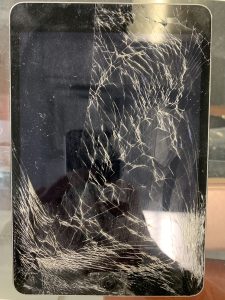
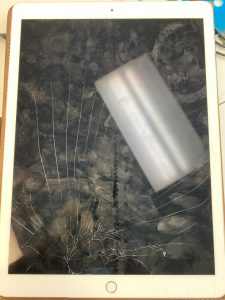
If the picture looks normal and touch still works, the outer glass may be the most obvious damaged component. However, the exact model determines whether a glass-only service is feasible or whether a larger assembly needs replacement. Broken glass can shed sharp fragments, so avoid pressing on the damaged area.
Touchscreen or Digitizer Problems
If your iPad shows a clear picture but misses taps, types on its own, or has dead touch zones, the digitizer or its connections may be affected. These symptoms can also occur with other faults, so a technician should test the device before ordering parts.
LCD or OLED Display Damage
Black spots, lines, colour distortion, flashing, or no image can indicate damage to the display panel or related circuitry. In these situations, a simple outer-glass repair may not restore the picture. A proper iPad display repair assessment identifies whether the screen assembly or another component is responsible.
Can a Cracked iPad Screen Get Worse?
Yes. Cracks may spread, fragments can loosen, and damage may make touch input less reliable. Continued use can also expose internal areas to dust or moisture. If the display is badly damaged, avoid unnecessary handling and arrange an assessment.
Quick Safety Tip
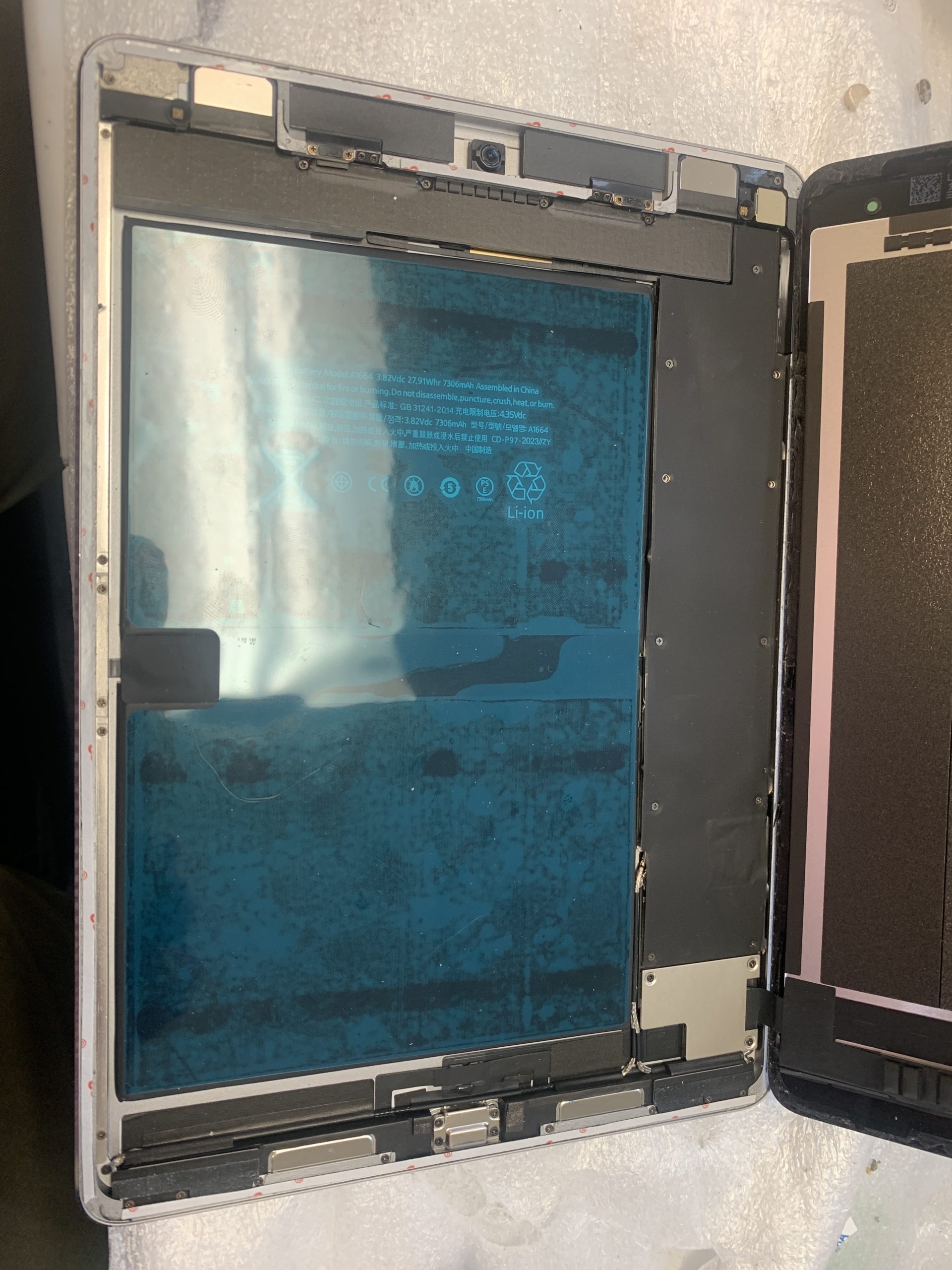
Do not apply household glue, heat the tablet yourself, or attempt to lift broken glass with metal tools. iPads contain delicate cables and lithium-ion batteries that can be damaged during improper disassembly.
iPad Pro, iPad Air, iPad Mini & Standard iPad Repair
Apple has released many iPad sizes and generations, and parts are not universally interchangeable. Before searching for iPad replacement screen or new iPad screen replacement, confirm the model number in Settings if the tablet works, or check the information on the device and its packaging where available.
iPad Pro Screen Repair
An iPad Pro repair near me search often involves a high-resolution display used for design, work, or school. Some iPad Pro models use laminated screens and different display technologies, making model identification essential. If you are wondering about iPad Pro screen replacement cost, request a model-specific quote rather than relying on a single online price.
iPad Air Glass Replacement
An iPad Air can develop cracked glass, touch issues, or a damaged display after an impact. iPad Air glass replacement requirements vary by generation. A technician can explain whether the front assembly needs to be replaced and whether there is additional frame damage.
iPad Mini Screen Repair
Compact tablets are especially convenient for travel and reading, but their screens can still crack. Customers searching for iPad Mini screen repair near me should provide the generation and describe any touch or display problems so compatible parts can be checked.
Standard iPad and 10th Generation Screen Replacement
Standard iPads are popular with families, students, and businesses. Whether you need a screen for an older model or are searching for iPad 10th generation screen replacement near me, the technician should verify the exact model, assess the housing, and check touch and display operation.
Common Signs You Need iPad Screen Repairs
Not every screen problem starts with an obvious crack. If you want to fix my iPad screen near me, watch for the following symptoms:
- Spiderweb cracks or shattered front glass.
- Touchscreen areas that stop responding.
- Ghost touches or apps opening without input.
- Vertical lines, flickering, or unusual colours.
- Dark spots, white patches, or backlight issues.
- A screen lifting away from the frame.
- No visible picture even though the tablet makes sounds.
- Damage around the edges after a fall.
A lifting display deserves special attention: it may indicate damaged adhesive, a bent frame, or a swollen battery. If you suspect battery swelling, stop using and charging the device until it has been assessed.
How Much Does iPad Screen Repair Cost in Canada?
One of the most common questions is how much to fix iPad screen. There is no honest single price for every iPad. The iPad screen repair cost or iPad glass replacement price depends on the model, display construction, part availability, extent of damage, and labour involved.
What Changes the Price?
- Model and generation: iPad Pro, Air, Mini, and standard models use different parts.
- Type of damage: A broken glass layer differs from a failed LCD or OLED panel.
- Frame condition: A bent housing may complicate installation.
- Additional faults: Charging, battery, or motherboard problems may require separate work.
- Parts and testing: Availability and the quality of the replacement assembly affect the quote.
If you search for iPad screen repair cost Canada, iPad screen replacement cost, or iPad glass repair cost, use online figures only as rough context. For a meaningful estimate, share the exact iPad model and photos of the damage, then confirm the quote after diagnosis. We do not publish a universal price because that could be misleading across generations.
How Does an iPad Screen Replacement Work?
A professional repair shop should evaluate the iPad before deciding which components need replacement. The exact steps depend on the model and its construction.
Step 1: Identify the iPad Model
The technician confirms the model and generation so that compatible replacement parts can be selected. Similar-looking iPads may use different screens, connectors, and internal components.
Step 2: Diagnose the Screen Damage
The glass, touchscreen, display image, housing, and relevant connections are checked. This helps distinguish a broken front digitizer from a damaged display panel or another hardware fault.
Step 3: Explain the Repair Options
After diagnosis, the appropriate repair can be discussed. Depending on the model and damage, the solution may involve replacing a digitizer, a display assembly, or another affected component.
Step 4: Replace the Damaged Components
The damaged assembly is carefully removed using appropriate tools and procedures. Special attention is needed around internal cables, connectors, and the battery.
Step 5: Test the iPad
After repair, relevant functions should be tested, including display quality, touchscreen response, charging, and other features affected by the work. Additional testing may be needed if the tablet suffered significant impact or liquid damage.
Other Apple iPad Hardware Repair Services
Although cracked screens are a common reason customers search for iPad repairs near me, tablets can develop other hardware problems. Maple Cell Phone & Laptop Repair can assess a range of iPad symptoms to determine what service may be appropriate.
iPad Battery Replacement Near Me
An aging battery may cause short battery life, unexpected shutdowns, or charging problems. If you are searching for iPad battery replacement near me, a technician should check the battery and charging system before recommending replacement.
iPad Charging Port Repair Near Me
Charging problems may involve a damaged connector, debris, a faulty charging cable, battery issues, or motherboard circuitry. Customers looking for iPad charging port repair near me should have the problem diagnosed rather than assuming the port is always responsible.
iPad Motherboard and Logic Board Repair
An iPad that has no power, intermittent charging, liquid exposure, or board-level electrical damage may require iPad motherboard repair near me or iPad logic board repair diagnostics. Repairability varies, and a screen replacement should not be presented as the answer to a confirmed motherboard failure.
iPad Repair Near Richmond Hill: Areas We Serve
Our physical repair location is in Richmond Hill. The following communities are areas from which customers may visit us; they are not separate Maple Cell Phone & Laptop Repair storefronts. Contact the shop before travelling if you need confirmation about a specific model or part.
iPad Screen Repair in Maple
Searching for iPad repair in Maple or iPad Pro repair in Maple? Customers from Maple can visit our Richmond Hill shop for an assessment of cracked glass, damaged displays, unresponsive touchscreens, and other tablet problems. If you use your iPad for work or school, describe whether the image still appears and whether touch functions normally. Those details help distinguish glass damage from a more involved display repair.
iPad Screen Repair in Vaughan
For iPad repair in Vaughan, including searches such as iPad repair Vaughan, our Richmond Hill location is an option for customers who need screen and hardware diagnostics. If you are looking for iPad Pro repair near Wonderland or iPad repair near Wonderland, note that our shop is on Newkirk Road in Richmond Hill, not at Canada’s Wonderland. Contact us with the iPad model before visiting.
iPad Screen Repair in Thornhill
Thornhill customers often need a nearby place to repair a family tablet, school iPad, or work device. If your screen is cracked but the tablet still turns on, do not assume that only the glass needs replacement. We can discuss the symptoms and evaluate the device at our Richmond Hill location. Bring the charger if the tablet also has power problems.
iPad Screen Repair in North York
Looking for an iPad screen repair near me option from North York? Customers can contact our Richmond Hill repair shop about cracked screens, touch issues, battery concerns, or charging problems. When comparing repair options, ask for a quote that matches your exact model. A standard iPad and an iPad Pro may require very different screen assemblies.
iPad Screen Repair in Aurora
Aurora customers with broken iPad screens can bring their tablets to our Richmond Hill location for diagnosis. Whether the problem is shattered glass, a flickering display, or an unresponsive touchscreen, describing the symptoms in advance can make the visit more productive. Avoid continued pressure on a cracked panel and keep the device away from moisture.
iPad Screen Repair in King City
From King City, you can contact Maple Cell Phone & Laptop Repair in Richmond Hill about an iPad that has stopped responding after a drop. We can discuss the model, condition, and possible repair approach. If the frame is bent or the screen is lifting, mention that before arranging service, since it may affect the assessment.
iPad Screen Repair in Newmarket
Newmarket customers searching for where to repair iPad near me can consider our Richmond Hill location. If the tablet has important school files, business documents, or family photos, back up accessible data before repair when possible. Tell the technician about any earlier liquid damage or unsuccessful repair attempts.
iPad Screen Repair in Woodbridge
For Woodbridge customers, our Richmond Hill shop offers a location to ask about iPad glass replacement, screen assembly issues, and related hardware faults. If you are unsure whether your iPad needs glass repair or full screen replacement, bring it in for evaluation rather than purchasing a replacement part based on appearance alone.
iPad Screen Repair in Concord
Customers from Concord can contact us about cracked iPad glass, screen flickering, touch problems, or battery and charging issues. A clear description of the damage, along with the iPad model, helps determine which repair options should be investigated. Our only location referenced in this guide is 360 Newkirk Rd. in Richmond Hill.
iPad Screen Repair in Toronto
If you are searching for iPad screen repair Toronto, iPad repair Toronto, Toronto iPad repair, or fix iPad screen Toronto, you can contact our Richmond Hill location for a model-specific assessment. Toronto customers should confirm availability and pricing before travelling. We can help evaluate whether cracked glass, touch failure, display damage, or another hardware issue is causing the problem.
What to Do Before Bringing Your iPad for Repair
A few simple steps can help make an iPad repair visit easier. If the device still works, back up important information using an appropriate Apple-supported method. Note your model and describe the symptoms. Remove accessories that may obstruct inspection, but do not try to peel off shattered glass.
- Back up your iPad if it is safe and possible to do so.
- Record the model and generation.
- Explain when and how the damage happened.
- Mention any previous repair or liquid exposure.
- Ask about the estimate, part availability, and expected timeframe.
- Do not share your Apple Account password; ask what access, if any, is necessary for testing.
For an iPad with a swollen battery, unusual heat, or exposed internal components, stop using and charging it and ask the shop about safe handling before transporting it.
Frequently Asked Questions About iPad Repair
Where can I fix my iPad screen near me?
You can contact Maple Cell Phone & Laptop Repair at 360 Newkirk Rd., Richmond Hill, Ontario. We welcome customers from nearby communities and can discuss cracked glass, damaged displays, and touchscreen problems.
Who fixes iPad screens?
Tablet repair technicians who work with the specific iPad model can assess glass, digitizer, display, and related hardware issues. Ask about the exact repair being proposed and the replacement parts involved.
Can I replace only the cracked iPad glass?
Sometimes, but it depends on the model and damage. Some displays use laminated assemblies, so glass-only replacement may not be the appropriate service. Diagnosis is needed before choosing the repair.
How much does it cost to replace an iPad screen?
The cost varies by generation, screen technology, parts, and extent of damage. A model-specific quote is more useful than a single generic iPad screen replacement price.
How much is an iPad Pro screen replacement?
iPad Pro screen replacement cost varies significantly between models and generations. Contact the shop with your model number and a description of the damage for an estimate.
Can you fix an iPad with a black screen?
A black screen can result from a damaged display, battery issue, charging fault, or motherboard problem. The cause should be diagnosed before replacing parts.
Do you repair iPad charging ports?
You can bring an iPad with charging problems for diagnosis. The issue may involve the connector, cable, power circuitry, or battery, and the appropriate repair depends on the findings.
Do you offer iPad battery replacement?
Customers can ask about battery diagnosis and replacement options for their specific iPad model. Availability and repair suitability depend on the device and condition.
Will my photos and files be erased during screen repair?
A screen repair does not normally require intentionally deleting personal files, but no repair is completely risk-free. Back up your iPad before service whenever possible and ask about data-handling procedures.
Can you repair an iPad after water damage?
Liquid-damaged iPads require inspection because corrosion and electrical damage can affect multiple components. Avoid charging or powering on the device repeatedly and seek professional assessment.
How long does an iPad screen repair take?
Timing depends on the model, damage, parts availability, and current repair workload. Contact the shop for an estimate rather than assuming same-day service.
Do you repair iPads from Vaughan, Maple, and Toronto?
Yes, customers from those communities and surrounding areas can visit our Richmond Hill location. We do not claim separate storefronts in those cities.
Visit Maple Cell Phone & Laptop Repair in Richmond Hill
Whether you searched for iPad repairs near me, iPad glass replacement near me, repair iPad screen near me, or where to get iPad screen fixed near me, start by identifying the device and the damage. A careful diagnosis helps determine whether you need a glass repair, touchscreen repair, complete display replacement, or another hardware service.
Maple Cell Phone & Laptop Repair
360 Newkirk Rd., Richmond Hill, Ontario
Website: maplelaptopservices.com
We welcome inquiries from Richmond Hill, Maple, Vaughan, Thornhill, North York, Aurora, King City, Newmarket, Woodbridge, Concord, Toronto, and surrounding communities. Contact us before visiting to confirm repair options for your specific iPad.