PS5 No Signal: Why a Black Screen Is Not Always a Broken HDMI Port
A PS5 No Signal error does not automatically mean a broken HDMI port. If your PlayStation 5 turns on but the TV says “No Signal,” begin with the display input, HDMI cable and connection path. A damaged console port is one possibility, but a disconnected cable, incompatible output mode, TV handshake problem or external receiver can create similar symptoms. Diagnosing the simple causes first can avoid an unnecessary repair.
This guide is for PS5 owners in Richmond Hill, Vaughan, Markham and nearby York Region communities. It distinguishes checks you can safely perform from hardware problems that warrant a repair assessment. None of the signs below, on its own, proves a specific component has failed.
Start with the TV input and a direct HDMI connection
Confirm that the television is powered on and selected to the HDMI input actually connected to the console. Modern TVs often label inputs HDMI 1, HDMI 2 and so on. If the console has been moved, it is easy to choose the wrong input. Try selecting that input manually rather than relying on automatic source switching.
Connect the PS5 directly to a TV or monitor for the test. Temporarily bypass a soundbar, capture card, receiver or HDMI switch. Sony recommends this because intermediary devices may cause picture or handshake problems. If the picture returns during a direct connection, that does not establish that the PS5 port is defective.
Test the HDMI cable and screen separately
With the console off, check that the HDMI connectors are fully seated. Try a known-working HDMI cable and, if possible, a different HDMI input on the display. For high-refresh-rate 4K output, Sony recommends the included HDMI 2.1 cable or a compatible Ultra High Speed cable; older cables may still work at other modes.
If you can, test the PS5 with a different working TV or monitor. Also test the original TV input using another device. These comparisons help separate a screen or cable issue from the console itself. Do not force connectors into the socket or wiggle the plug aggressively while the console is operating.
What the PS5 power light and behaviour can tell you
A powered-on console with no picture is not the same symptom as a console that does not turn on. If you hear menu sounds or see the system respond but have no video, the display path deserves attention. If the PS5 shuts down, flashes an abnormal status or repeatedly restarts, power or system software may also need investigation. The light colour alone cannot identify a damaged HDMI connector.
When Safe Mode can help
When the HDMI connection is stable enough to show an image, PS5 Safe Mode provides a Change Video Output option. Sony says it can help with blank screens by changing resolution or HDCP mode. To start Safe Mode, turn the console off, then hold the power button until the second beep (roughly seven seconds after the first), and connect the controller with a USB cable.
Only select settings you understand. The Safe Mode menu also contains options with very different effects: changing video output is not the same as resetting or reinstalling the system. Avoid reset or reinstall actions if you have not confirmed the effect on your game saves and other data. If the screen remains blank in Safe Mode after cable and display tests, stop repeating attempts and arrange a diagnosis.
What a physically damaged PS5 HDMI port may look like
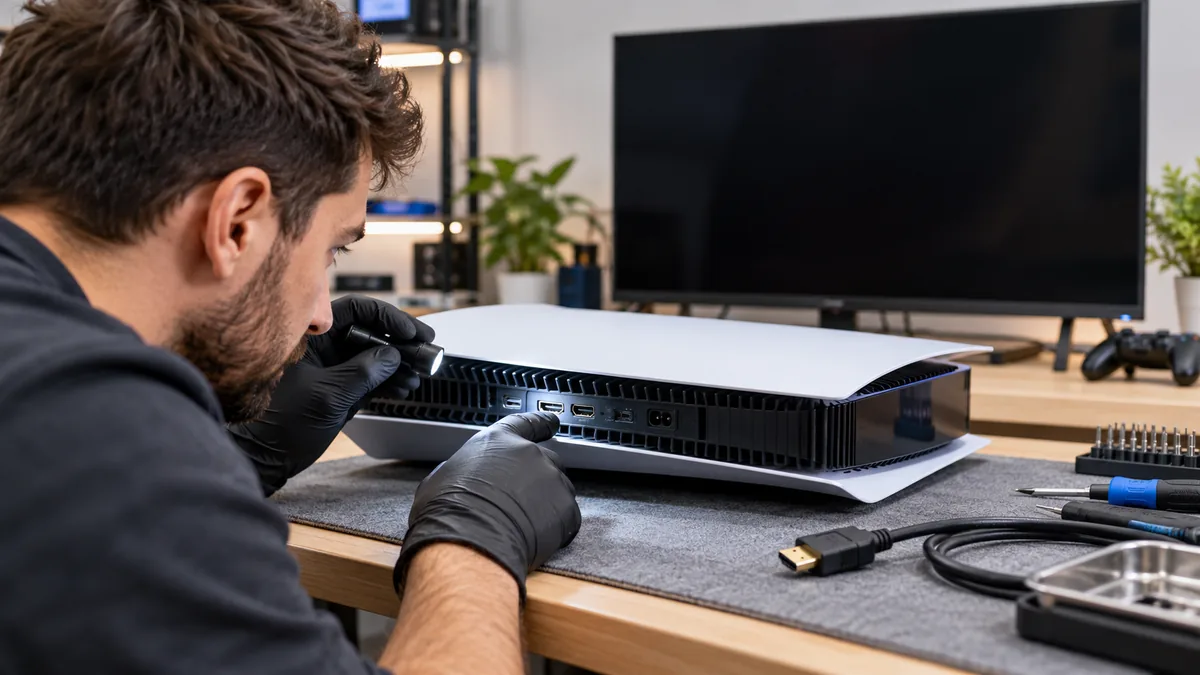
Possible warning signs include visibly bent or missing contacts, a connector that sits at an unusual angle, a loose or damaged metal shell, or loss of signal following a fall, impact or forceful cable pull. These signs raise suspicion, but an HDMI path problem can also involve solder joints or components beyond the socket itself.
Do not use a sharp object to straighten contacts while the system is powered. Do not insert conductive tools into the port. Opening the console or attempting microsoldering without proper equipment can make a repair more difficult and risks further board damage.
Intermittent picture, flicker and audio problems
An image that appears briefly and drops out may relate to the cable, resolution negotiation, a loose connector or an internal display circuit. Audio without video, or video without audio, also does not conclusively identify one part. The technician should reproduce the symptom with a known-good display and cable before recommending a connector replacement.
What a repair assessment should include
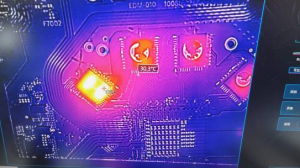
Describe exactly when the problem started: after moving the console, changing TVs, an update, a fall, or without a noticeable event. Let the shop know whether the PS5 displays in Safe Mode and whether you have already tried a second cable or screen. A hardware evaluation may involve visual inspection of the port, controlled signal tests and board inspection when appropriate.
An HDMI replacement is not automatically the right fix. The goal is to identify the actual failing part rather than charging for a port that is still functional. Ask about diagnostics, the scope of the proposed work and any applicable warranty before authorizing a repair.
PS5 no-signal troubleshooting checklist
- Verify the TV is on the correct HDMI input.
- Connect the PS5 directly to the display without intermediary devices.
- Try a known-good HDMI cable and a second TV HDMI socket.
- If available, test another known-good screen.
- Visually check for obvious damage without touching the pins.
- Only attempt Safe Mode video-output options if you understand them.
- Stop and seek professional help if the port appears damaged or repeated safe tests fail.
PS5 HDMI repair in Richmond Hill
For persistent picture problems, visit our Game Console Repair service page to review local diagnosis and repair options. If you already tried a known-good cable and direct TV connection, explain those results when you contact Maple Cell Phone & Laptop Repair in Richmond Hill. Our shop is located at 360 Newkirk Rd, Richmond Hill, Ontario.
Frequently asked questions
Does “No Signal” mean I need a new PS5 HDMI port?
No. A wrong TV input, cable problem or output setting can cause the same message. Confirm external connections first. Physical damage or failed tests across multiple displays makes professional diagnosis more appropriate.
Can I change PS5 resolution without erasing games?
Sony describes Change Video Output in Safe Mode as a troubleshooting option for blank screens. Do not confuse it with reset or reinstall options, which can affect stored data.
Will a different HDMI cable fix a physically broken port?
A cable cannot repair bent pins or cracked solder connections. It can help determine whether the existing cable was the problem.
Should I keep moving the HDMI connector to make the image appear?
No. Repeated pressure and movement can worsen a loose or damaged socket. Power down the console and have the connection inspected.