PlayStation, Nintendo & Xbox: Our Ultimate Guide to Choosing a Gaming Console in 2026
Choosing a gaming console in 2026 can be exciting, but it can also be confusing. PlayStation, Xbox and Nintendo each offer a different gaming experience, and the right choice depends on how you play, which games interest you, whether you prefer physical or digital games, and whether portability matters to you.
For some gamers, PlayStation 5 is the centre of the living-room gaming setup. Others prefer the Xbox ecosystem, while Nintendo Switch 2 offers the flexibility of handheld and TV gaming. Beyond performance and game libraries, buyers should also think about storage, controllers, accessories, long-term maintenance and repairability.
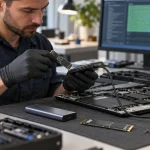
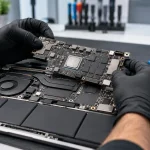
At Maple Cell Phone & Laptop Repair, we work with gaming devices as well as computers and laptops. From HDMI and power problems to overheating and damaged ports, customers searching for game console repair near me, PS5 repair near me or Xbox repair near me can visit us at 360 Newkirk Rd, Richmond Hill, ON.
This guide explains the major differences between PlayStation, Xbox and Nintendo consoles, what type of gamer each platform may suit, what to consider before buying, and what to do when your console eventually develops a hardware problem.
Table of Contents
- 1. What Should You Consider Before Choosing a Console?
- 2. PlayStation 5: Performance, Games and Features
- 3. PS5 Disc vs Digital Edition
- 4. Xbox Series X and Series S
- 5. Nintendo Switch 2
- 6. PlayStation vs Xbox vs Nintendo
- 7. Physical Games vs Digital Games
- 8. Storage and Game Libraries
- 9. Controllers and Accessories
- 10. Gaming Console Maintenance
- 11. Common Gaming Console Problems
- 12. PS5 Repair and Common PS5 Problems
- 13. Xbox Repair and Common Xbox Problems
- 14. Nintendo Switch Repair
- 15. Repair or Replace a Gaming Console?
- 16. Game Console Repair in Richmond Hill
- 17. Frequently Asked Questions
1. What Should You Consider Before Choosing a Gaming Console?
There is no single gaming console that is ideal for every player. Instead of choosing based only on specifications, consider how you actually plan to use the console.
Start With the Games You Want to Play
The available game library is one of the most important considerations. Different platforms have their own first-party franchises, subscription services and ecosystems. Before buying a console, make a list of the games you most want to play and check which systems support them.
Also consider where your friends play. Cross-platform gaming is increasingly common, but not every game provides identical cross-platform features.
Think Beyond the Purchase Price
The console itself is only part of the cost. Games, online subscriptions, additional controllers, headsets, storage expansion and other accessories can increase the total investment. A lower initial console price does not necessarily mean the lowest long-term cost.
2. PlayStation 5: Performance, Games and Features
Sony’s PlayStation 5 family remains an important choice for console gaming in 2026. Depending on the model, buyers can choose between systems designed for physical and digital games, as well as higher-end PlayStation hardware.
PS5 combines fast solid-state storage, modern graphics capabilities and the DualSense controller ecosystem. It is designed primarily as a powerful home console connected to a television or gaming monitor.
Who Should Consider a PS5?
A PS5 makes sense for gamers who want access to the PlayStation ecosystem and its library of PS5 and compatible PS4 titles. It can also be attractive to players who value high-resolution home-console gaming and the features of the DualSense controller.
PS5 Is More Than Just the Console
When budgeting for a PlayStation setup, consider additional controllers, a compatible display, headset, storage requirements and the games you intend to purchase. Some players may also be interested in accessories such as PlayStation VR2.
3. PS5 Disc vs Digital Edition: Which Should You Choose?
One of the biggest PlayStation purchasing decisions is whether you want a console capable of using physical discs or prefer an all-digital setup.
Why Choose a Disc-Based PS5?
A disc-capable system can make sense for players who already own compatible physical games, like collecting discs, buy used games, borrow games, or want additional flexibility in how they purchase software.
Why Choose a Digital PS5?
A digital console is designed for players who are comfortable downloading their games. There are no game cases to store and no discs to insert or change.
Think About Your Habits Before Choosing
Don’t make the decision based solely on the initial console price. Think about how you normally buy games and whether physical media matters to you. The better choice is the one that fits your gaming habits over the years you expect to own the system.
4. Xbox Series X and Series S
Microsoft’s Xbox Series family provides another established route into current-generation console gaming. Series X and Series S target somewhat different buyers, so understanding that distinction is useful before purchasing.
Xbox Series X
Xbox Series X is positioned as the more performance-oriented member of the Series family. It is suitable for gamers who prioritize a powerful home-console experience and want the capabilities associated with Microsoft’s higher-end Xbox hardware.
Xbox Series S
Series S is a compact, digital-focused alternative. It can be attractive to gamers who want access to the Xbox ecosystem without necessarily requiring the same hardware configuration as Series X.
Consider Your Display and Storage Needs
Before choosing between Xbox models, consider the television or monitor you’ll use, the games you intend to play and how much local storage you expect to need. Modern games can consume substantial storage space, so storage management is an important part of owning any modern console.
5. Nintendo Switch 2: Gaming at Home and on the Go
Nintendo takes a different approach from conventional home consoles. Nintendo Switch 2 continues the hybrid concept, allowing players to use the system as a handheld device or connect it to a television through its dock.
The Switch 2 features a larger high-resolution display and improved hardware compared with the original Switch generation. This makes Nintendo especially interesting for players who value portability.
Who Is Nintendo Switch 2 For?
Switch 2 may appeal to families, Nintendo fans, commuters, travellers and gamers who don’t want to be tied permanently to a television. The ability to transition between portable and TV gaming is one of the platform’s defining advantages.
Portability Changes How You Use a Console
A portable console experiences different wear from a system that remains beside a television. Charging connectors, controls, screens and other physical components may receive more frequent handling. A protective case and careful charging habits can therefore be worthwhile for portable gaming systems.
6. PlayStation vs Xbox vs Nintendo: Which Type of Gamer Are You?
Rather than declaring one console universally better than another, it is more useful to match the platform to the player’s priorities.
PlayStation is worth considering if its game ecosystem, controller experience and home-console performance appeal to you. Xbox may be a strong fit for players invested in Microsoft’s gaming ecosystem and services. Nintendo Switch 2 stands apart for gamers who prioritize portability, Nintendo franchises and flexible handheld-to-TV play.
For Families
Think about the age of the players, available multiplayer games, parental controls, portability and how many controllers will be required.
For Dedicated Home Gamers
If the console will spend almost all of its time connected to a large TV or gaming monitor, compare PlayStation and Xbox options based on the games and services you actually plan to use.
For Portable Gamers
If playing away from the television is a major requirement, Nintendo’s hybrid approach deserves particular consideration.
7. Physical Games vs Digital Games
Digital distribution has changed how people build gaming libraries. Downloading games is convenient, but physical media still has advantages for some players.
Advantages of Digital Games
Digital games can be purchased without visiting a store, do not require shelf space and can be launched without swapping physical game discs or cards where supported.
Advantages of Physical Games
Physical games can appeal to collectors and may provide more purchasing options, depending on the platform and title. Some players also simply prefer owning a physical copy.
Storage Still Matters
Regardless of whether a game is purchased physically or digitally, modern consoles can require significant internal storage for installations, updates and downloadable content.
8. Storage Is an Important Part of Console Ownership
Game sizes have increased substantially over the years, making storage an important consideration when choosing a console.
If you regularly switch between many large games, a system’s storage capacity and available expansion options may matter almost as much as graphics performance.
Don’t Wait Until Storage Is Completely Full
Periodically review installed games, captures and applications. Removing games you no longer play can free space, and many titles can be downloaded again later from your account when needed.
Use Compatible Storage Products
Storage requirements differ between PlayStation, Xbox and Nintendo hardware. Always confirm compatibility before purchasing an SSD, memory card or proprietary expansion device.
9. Controllers, Headsets and Gaming Accessories
The console is only the beginning of a gaming setup. Controllers, charging stations, headsets and other accessories can significantly affect the experience.
Budget for Additional Controllers
If several people will play locally, include the price of additional controllers when comparing console costs.
Audio Matters Too
A quality headset can improve communication during multiplayer games and provide more immersive audio without disturbing other people in the home.
Buy Accessories for the Way You Actually Play
It is easy to overspend on accessories. Start with the essentials and add equipment when you know it will improve your particular gaming setup.
10. Gaming Console Maintenance Can Help Prevent Problems
Whichever console you choose, basic maintenance matters. Gaming consoles contain processors, storage, power circuitry and cooling systems that generate heat during operation.
Give Your Console Room to Breathe
Avoid blocking ventilation openings or placing a console in an enclosed area with poor airflow. Dust can gradually accumulate around vents and internal cooling components.
Be Careful With HDMI and Power Connections
HDMI damage is one of the hardware issues repair technicians encounter on gaming consoles. Avoid forcing connectors, pulling the console while cables are attached or repeatedly inserting cables at an angle.
Professional Cleaning May Be Appropriate
If a console is unusually noisy, overheating or heavily contaminated with dust, professional inspection and cleaning may be appropriate. Cleaning cannot fix every hardware fault, but proper cooling is important for reliable operation.
11. Common Gaming Console Problems
Even a well-maintained console can eventually develop a hardware problem. Customers looking for video game console repair commonly report symptoms such as no display, damaged HDMI ports, no power, overheating, shutdowns, charging problems, controller issues and storage-related faults.
A proper diagnosis matters because similar symptoms can have very different causes.
HDMI Port Problems
If the television reports no signal, inspect the cable and try another known-working HDMI input and cable first. If the console’s HDMI connector is visibly damaged, loose or pushed inward, professional repair may be required.
Power and Overheating Problems
A console that unexpectedly turns off may have a cooling, power or motherboard-related problem. The symptom alone does not identify the failed component.
Avoid Guessing and Replacing Parts Unnecessarily
Professional game console repair begins with diagnosis. Determining the cause before replacing components can prevent unnecessary expense.
12. PS5 Repair: Common PlayStation 5 Problems
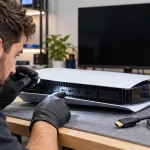
Your Google search may have started with PS5 repair near me, PS5 repairs near me, PS5 repair shop near me or PS5 repair shops near me. PS5 hardware problems can range from physical connector damage to power, cooling and motherboard faults.
PS5 HDMI Port Repair
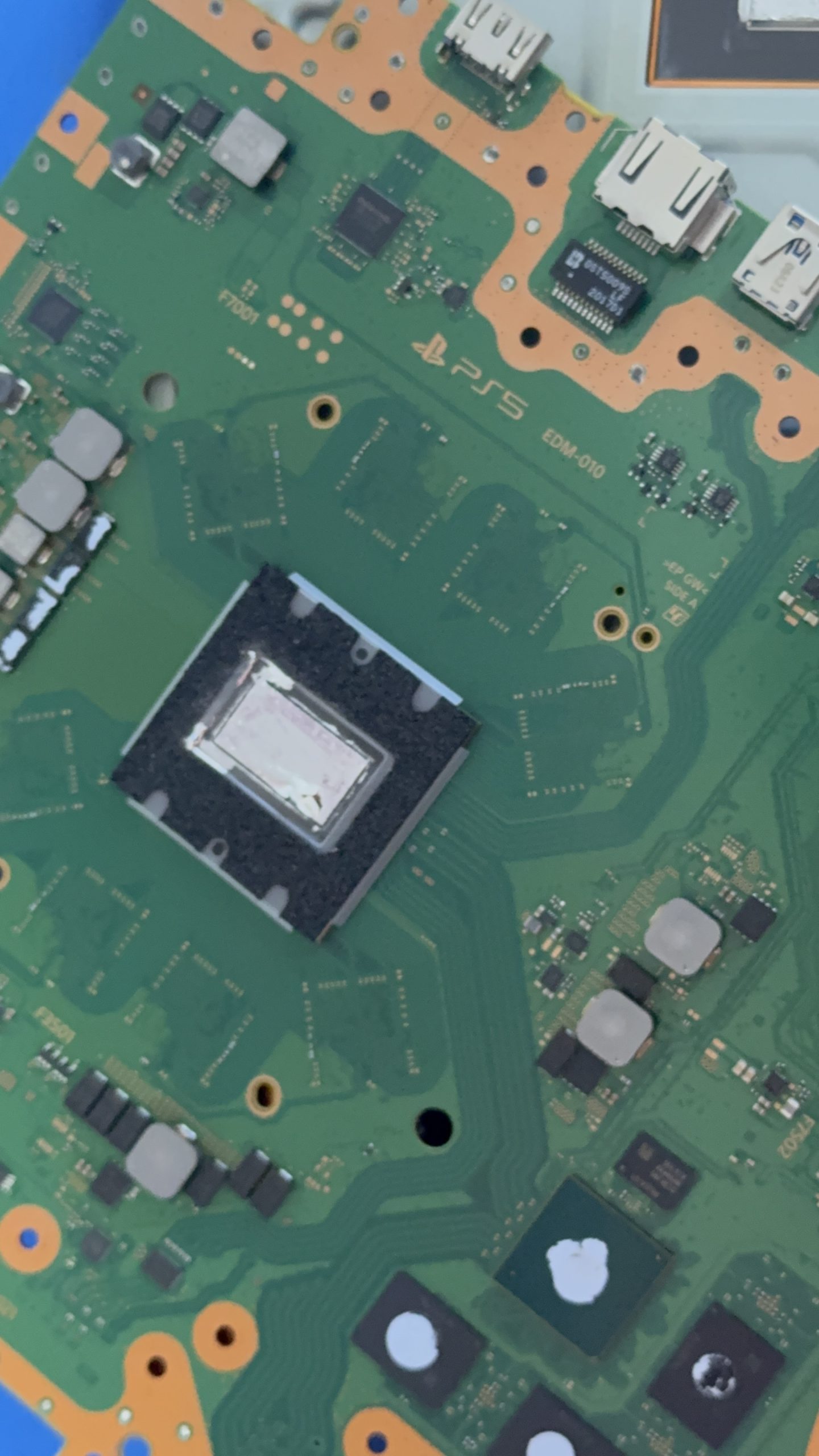
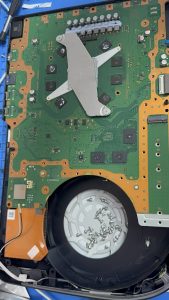
A damaged HDMI port can result in no picture, intermittent video or a connection that only works when the cable is positioned a certain way. Because the connector is attached to the motherboard, HDMI replacement requires proper equipment and board-level soldering skills.
PS5 Power and Motherboard Problems
A PS5 that does not power on requires diagnosis before assuming the power supply is defective. Depending on the fault, the problem may involve the power system, motherboard or another component.
PS5 Repair in Richmond Hill
Customers searching for PS5 repairs in Richmond Hill can bring their console to Maple Cell Phone & Laptop Repair at 360 Newkirk Rd, Richmond Hill, ON. We diagnose console hardware problems and determine the appropriate repair based on the actual fault.
We also welcome customers looking for PS5 repair Toronto who are able to visit our Richmond Hill repair location.
13. Xbox Repair: Common Xbox Problems
Xbox consoles can also develop HDMI, power, storage, cooling and motherboard-related faults. Customers searching for Xbox repair near me, Xbox repairs near me or an Xbox repair shop near me should look for a repair service capable of diagnosing the specific hardware problem rather than assuming that every no-display or no-power fault has the same cause.
Xbox HDMI and No-Display Problems
Start by ruling out the television and HDMI cable. If the physical HDMI connector is damaged or the console continues to produce no video with known-working equipment, further diagnosis may be necessary.
Xbox Power and Overheating Problems
Unexpected shutdowns, excessive heat or failure to power on can have several possible causes. Internal inspection and electrical testing may be required when basic troubleshooting does not resolve the problem.
Xbox Repair Richmond Hill and Vaughan
Customers searching for Xbox repair Richmond Hill or Xbox repair in Vaughan can visit our Richmond Hill shop for console diagnostics and repair.
14. Nintendo Switch and Switch 2 Repair
Nintendo’s portable design introduces different repair considerations from stationary home consoles. A handheld device is frequently connected and disconnected from chargers, carried in bags, held for long periods and exposed to more physical handling.
Charging and Connector Problems
If a Nintendo console will not charge, do not immediately assume that the battery is defective. The charging adapter, connector, charging circuitry or motherboard may require diagnosis.
Display and Physical Damage
Portable devices are also more vulnerable to drops and display damage. Protecting the console during transportation can reduce the risk of accidental damage.
Diagnosis Before Repair
As with PlayStation and Xbox, proper testing should determine the cause before components are replaced.
15. Should You Repair or Replace a Broken Gaming Console?
When a console stops working, replacing it is not automatically the best option. The decision depends on the age of the console, type of damage, repair cost, replacement cost and whether you want to keep the existing system.
When Repair Can Make Sense
Repair may be worthwhile when the fault is identifiable and the rest of the console remains in good condition. HDMI-port damage is one example where replacing an entire console may be unnecessary if the board is otherwise repairable.
When Replacement May Make More Sense
If a console has extensive damage, several major failures or a repair cost approaching the value of a replacement system, replacement may be worth considering.
Get a Diagnosis First
Knowing what has actually failed gives you the information needed to compare repair and replacement intelligently.
16. Game Console Repair Near Me in Richmond Hill
If your PlayStation, Xbox or Nintendo console stops working, Maple Cell Phone & Laptop Repair provides game console repair and advanced electronics diagnostics at 360 Newkirk Rd, Richmond Hill, ON.
Customers searching for game console repair near me, video game console repair near me or a game console repair shop near me can bring their system to our Richmond Hill location.
Computer Repair & Game Console Repair
Our technical services are not limited to gaming consoles. We also provide computer repair & game console repair, including laptops, desktop PCs and gaming computers. Customers looking for computer repair and game console repair in Richmond Hill can have different electronic devices diagnosed at one local repair shop.
Serving Richmond Hill and Surrounding Communities
Our shop serves customers from Richmond Hill, Vaughan, Maple, Thornhill, Markham, Aurora, Newmarket, King City, Woodbridge, Concord, North York and Toronto.
Professional Board-Level Diagnostics
For faults requiring advanced work, board-level diagnosis and microsoldering can provide repair options beyond basic parts replacement. Whether the problem involves an HDMI connector, charging circuit, power problem or another hardware fault, diagnosis comes first.
17. Frequently Asked Questions
Which gaming console should I choose in 2026?
Choose according to the games you want to play and how you intend to use the system. PlayStation and Xbox are primarily home-console experiences, while Nintendo Switch 2 provides both handheld and TV gaming. Also compare storage, physical versus digital games, subscriptions, controllers and accessories before purchasing.
Should I buy a PS5 Disc or Digital Edition?
A disc-capable PS5 provides physical-media flexibility, while a Digital Edition is suited to players who intend to download their games. Consider your existing game collection and buying habits rather than only the initial purchase price.
Is Nintendo Switch 2 good for portable gaming?
Portability is one of the Switch 2’s defining features. It can be used as a handheld system and connected to a television through its dock, making it particularly relevant for gamers who want flexibility between home and portable play.
Where can I find game console repair near me?
Maple Cell Phone & Laptop Repair provides gaming console diagnostics and repair at 360 Newkirk Rd, Richmond Hill, ON. We work with PlayStation, Xbox and Nintendo console problems.
Where can I get PS5 repair near me?
If you’re in Richmond Hill or a nearby community, bring your PlayStation to our Richmond Hill shop for diagnosis. Common PS5 problems can include damaged HDMI ports, no display, power problems, overheating and motherboard-related faults.
Can a broken PS5 HDMI port be repaired?
A physically damaged HDMI connector can often be replaced when the condition of the motherboard makes repair practical. Because the connector is soldered to the board, this type of repair requires appropriate equipment and technical skill.
Do you provide Xbox repair near me?
Yes. We diagnose Xbox hardware problems at our Richmond Hill location, including no-display, HDMI, power, overheating and other hardware-related issues.
Do you repair Nintendo gaming consoles?
We provide diagnostics for Nintendo console hardware problems. The repair required depends on the model, symptoms and condition of the device.
Should I repair or replace my gaming console?
Compare the diagnosis and repair cost with the console’s age, condition and replacement value. An isolated repairable fault may make repair practical, while extensive damage can change the economics.
Can overheating damage a gaming console?
Excessive heat can affect performance and reliability. Keep ventilation openings unobstructed, avoid poorly ventilated enclosed spaces and have persistent overheating or unexpected shutdowns properly diagnosed.
Do you repair gaming consoles from Vaughan and Toronto?
Our physical shop is in Richmond Hill, and customers from Vaughan, Markham, Thornhill, Maple, North York, Toronto and surrounding communities can bring their consoles to our location for service.
PlayStation, Nintendo or Xbox: Choose the Console That Fits You
PlayStation, Xbox and Nintendo each approach gaming differently. Instead of choosing solely on advertising or technical specifications, think about the games you want, where you play, whether portability matters, how you purchase games, your storage requirements and the overall cost of your setup.
Whichever system you choose, proper handling and maintenance can help protect your investment. If your console eventually develops an HDMI, power, charging, overheating or motherboard problem, professional diagnosis can determine whether repair is practical.
For game console repair near me, PS5 repair near me, Xbox repair near me and other gaming console services, visit Maple Cell Phone & Laptop Repair at 360 Newkirk Rd, Richmond Hill, ON.
Maple Cell Phone & Laptop Repair
360 Newkirk Rd, Richmond Hill, ON
Phone: 416-587-7105 — contact our Richmond Hill shop to discuss console symptoms