Emerging Trends in Computer Repair: What to Expect in 2026
Computers are becoming faster, more powerful, and more integrated into our daily lives, but the technology required to diagnose and repair them is changing just as quickly. In 2026, professional computer repair involves much more than reinstalling Windows or replacing a failed hard drive. Modern technicians increasingly work with advanced diagnostic software, high-performance gaming hardware, SSD storage, complex motherboards, thermal-management systems, data recovery tools, and component-level repair techniques.
For customers searching for computer repair near me, the changes taking place in the repair industry can mean faster diagnosis, better repair options, and more opportunities to repair a computer rather than replace it. At Maple Cell Phone & Laptop Repair, located at 360 Newkirk Rd, Richmond Hill, ON, we provide professional computer, PC, laptop, and gaming computer diagnostics and repair for customers throughout Richmond Hill and surrounding communities.
This guide explores important computer repair trends for 2026, including AI-assisted diagnostics, advanced motherboard repair, gaming PC maintenance, sustainable repair practices, data recovery, cybersecurity, remote support, and the increasing importance of skilled technicians as computers become more complex.

Table of Contents
- 1. AI-Assisted Computer Diagnostics
- 2. Advanced Motherboard and Component-Level Repair
- 3. Repairing and Upgrading Instead of Replacing
- 4. Growth of Gaming Computer Repair
- 5. Better Thermal Management and Preventive Maintenance
- 6. SSD Technology and Modern Data Recovery
- 7. Remote Computer Support and Software Repair
- 8. Cybersecurity and Malware Removal
- 9. Improved Liquid and Water Damage Diagnostics
- 10. Specialized Repair Skills Matter More in 2026
- 11. Why Local Computer Repair Still Matters
- 12. The Future of Computer and PC Repair
- Frequently Asked Questions
1. AI-Assisted Computer Diagnostics
Artificial intelligence is influencing many technology industries, and computer diagnostics are no exception. In 2026, technicians have access to increasingly sophisticated software capable of analyzing system logs, hardware information, error reports, performance data, and other diagnostic information.
AI-assisted tools can help technicians organize large amounts of information and identify possible causes more quickly. However, AI does not eliminate the need for an experienced repair technician. A computer that will not power on, for example, cannot always be diagnosed through software. Physical testing of the power supply, motherboard, charging circuitry, RAM, storage, GPU, and other components may still be required.
AI Can Assist, but It Does Not Replace Hands-On Diagnosis
A good diagnostic process combines software information with physical testing. AI may help interpret Windows errors or system behaviour, while the technician determines whether the actual problem is software, storage, memory, overheating, power delivery, or motherboard failure.
This combination can make professional computer repair more efficient without replacing the experience required to diagnose unusual or complex faults.
What This Means for Computer Owners
For customers, improved diagnostic tools can help technicians narrow down problems efficiently. The important part remains verifying the diagnosis before replacing components. Professional repair should identify the cause of a problem rather than simply replacing parts until the computer begins working again.
2. Advanced Motherboard and Component-Level Repair
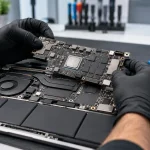
One of the most important developments in modern repair is the increasing value of motherboard-level diagnostics. Many computer problems that once resulted in an entire motherboard being discarded can sometimes be traced to individual components or circuits.
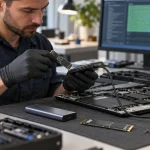
Modern motherboard repair can involve electrical measurements, board schematics, thermal inspection, microscopes, soldering equipment, and microsoldering techniques. Technicians may investigate short circuits, damaged power rails, charging problems, corroded components, damaged connectors, or failed integrated circuits.
Board-Level Repair Can Reduce Unnecessary Replacement
Replacing an entire motherboard can be expensive, particularly in laptops and specialized computers. When component-level repair is technically and economically practical, repairing the existing board can offer another option.
At Maple Cell Phone & Laptop Repair, advanced diagnosis is particularly important for no-power computers, charging problems, liquid damage, damaged connectors, and motherboard-related faults.
Microsoldering Is Becoming More Important
As devices become thinner and components become smaller, repair work increasingly requires precision. Microsoldering allows trained technicians to work on small board-level components and connections that cannot be repaired using ordinary soldering techniques.
3. Repairing and Upgrading Instead of Replacing
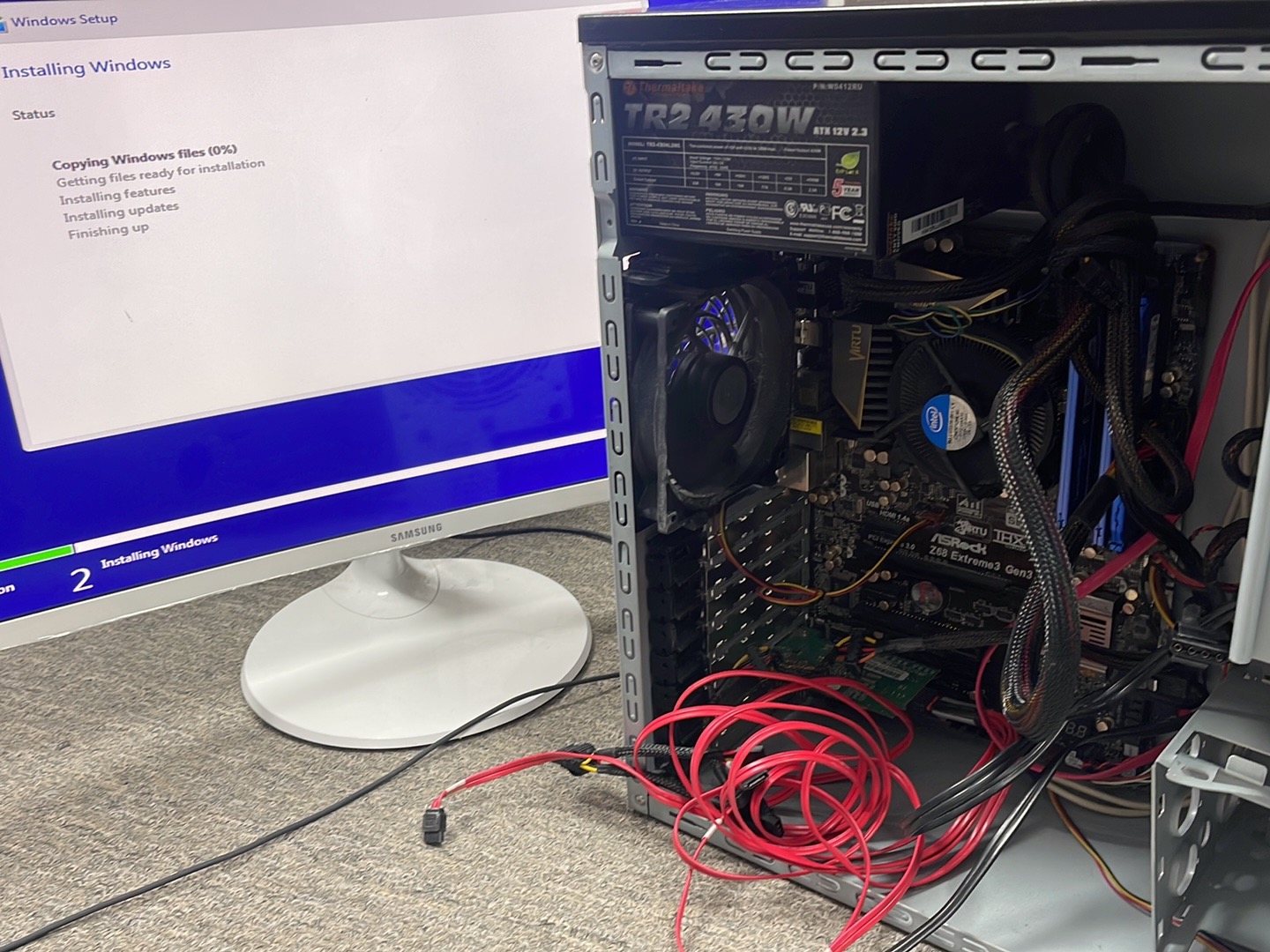
Another important trend in 2026 is growing interest in extending the useful life of existing computers. A slow computer does not automatically need to be replaced. Depending on the system, an SSD upgrade, additional RAM, cooling-system service, software cleanup, operating-system repair, or replacement of a failed component can restore useful performance.
This approach can save money while also reducing electronic waste. Computers contain metals, plastics, circuit boards, batteries, and other materials that require resources to manufacture and eventually recycle.
Upgrades Can Give Older Computers a Second Life
One of the most effective upgrades for compatible older computers is replacing a mechanical hard drive with an SSD. Additional memory can also improve systems that regularly run out of available RAM.
Gaming PCs offer even greater upgrade flexibility because many desktop components can be individually replaced. Depending on compatibility, users may upgrade the graphics card, processor, RAM, SSD, cooling system, or power supply instead of buying an entirely new computer.
Repairability Depends on the Computer
Not every modern computer is equally upgradeable. Some thin laptops have soldered memory or storage and highly integrated components. This makes accurate diagnosis even more important because technicians need to understand what can realistically be repaired or upgraded on each device.
4. Gaming Computer Repair Is Becoming More Specialized
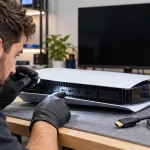
Gaming computers are a major part of today’s repair market. Customers searching for gaming computer repair near me, gaming PC repair near me, or gaming computer repairs near me may be dealing with problems that are different from those found in an ordinary office computer.
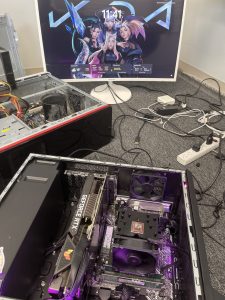
High-performance gaming PCs can include powerful GPUs, high-wattage power supplies, liquid or air cooling systems, multiple SSDs, RGB controllers, high-speed memory, and performance-oriented processors. Diagnosing these systems requires understanding how the components interact.
Common Gaming Computer Problems
Gaming computers may experience random shutdowns, crashes under load, no display, overheating, GPU problems, unstable memory, corrupted drivers, failing storage, insufficient power delivery, or cooling-system problems.
Professional gaming computer repair should look beyond the symptom. A game crashing, for example, does not automatically mean the GPU has failed. The problem could involve drivers, RAM, storage, overheating, power delivery, Windows, or the game itself.
Gaming Computer Maintenance Is Increasingly Important
Regular gaming computer maintenance can be especially useful for high-performance systems that generate significant heat. Dust buildup can restrict airflow through heatsinks, fans, filters, and radiators. Poor cooling can increase temperatures and reduce performance.
For dedicated service, visit our gaming computer repair page to learn more about diagnostics, hardware problems, upgrades, and gaming PC service.
5. Better Thermal Management and Preventive Maintenance
Heat remains one of the biggest challenges for modern computers. Faster CPUs and GPUs can produce substantial heat, particularly during gaming, rendering, video editing, and other intensive workloads.
In 2026, thermal diagnosis is an increasingly important part of computer maintenance. A technician may examine fan operation, heatsink condition, dust accumulation, thermal interfaces, airflow, temperature readings, and system behaviour under load.
Overheating Can Look Like Another Computer Problem
An overheating computer may slow down, freeze, shut off unexpectedly, become extremely noisy, or crash during demanding tasks. Because these symptoms can resemble other hardware problems, accurate testing is essential.
Cleaning Is More Than Making a Computer Look Better
Internal cleaning can remove dust from cooling components and restore airflow when contamination is causing a problem. However, cleaning is not a cure for every overheating computer. A failing fan, damaged cooling system, incorrect installation, hardware failure, or other issue may require additional repair.
6. SSD Technology Is Changing Data Recovery
Solid-state drives have replaced traditional mechanical hard drives in many modern computers. SSDs provide excellent speed, but they have also changed the way technicians approach storage failures and data recovery.
A failing mechanical hard drive and a failing SSD can behave very differently. Modern SSDs use controllers, NAND flash memory, firmware, and other electronics that can make failure diagnosis complex.
Data Recovery Requires the Right Diagnosis
When important files disappear or a computer stops booting, customers sometimes continue restarting the computer or repeatedly attempt repairs. Depending on the failure, continued use can complicate recovery.
If important business documents, family photos, accounting records, or other irreplaceable files are involved, the priority should be understanding the storage problem before making unnecessary changes.
Backups Remain Essential in 2026
No repair technique replaces a good backup strategy. Important information should ideally exist in more than one location. A combination of local and cloud-based backups can help protect data against drive failure, theft, accidental deletion, liquid damage, and other unexpected events.
7. Remote Computer Support and Software Repair
Remote support remains useful for software-related problems. Certain issues can be diagnosed or corrected without physically bringing the computer to a repair shop, provided the machine can still boot, connect to the internet, and safely run the required remote-support software.
Problems That May Be Suitable for Remote Support
Remote assistance can sometimes help with software configuration, application problems, operating-system settings, printer configuration, email issues, updates, and basic troubleshooting.
However, remote service cannot physically replace a failed SSD, repair a motherboard, clean a cooling system, replace RAM, test a power supply, or repair liquid damage.
Physical Hardware Problems Still Need Hands-On Repair
A computer that does not turn on or has suffered physical damage normally needs hands-on diagnosis. This is why a local computer repair shop remains important even as remote support becomes more capable.
8. Cybersecurity and Malware Removal Remain Important
Computer security continues to be an important part of repair and maintenance. Malware, unwanted software, browser problems, compromised accounts, suspicious pop-ups, and malicious extensions can make a computer slow or unsafe to use.
Technicians increasingly need to distinguish between hardware failure and security-related or software-related behaviour. A slow computer, for example, might have failing storage, insufficient memory, excessive background applications, malware, or several problems at the same time.
Data Privacy During Computer Repair
Customers also care about privacy when leaving a computer for service. Repair shops should only access information reasonably necessary to diagnose and test the reported problem and should handle customer devices responsibly.
Customers Should Back Up Important Data
Whenever the computer is functional enough to do so, creating a backup before major repairs is a sensible precaution. This is especially important when storage, Windows installation, malware, or data corruption is involved.
9. Improved Liquid and Water Damage Diagnostics
Water damage computer repair is another area where proper diagnosis matters. Liquid exposure can cause corrosion, short circuits, damaged connectors, keyboard problems, charging faults, and motherboard failures.
A computer that works immediately after a spill may still develop problems later as corrosion progresses. If a laptop or computer has been exposed to liquid, powering it repeatedly can increase the risk of additional electrical damage.
Liquid Damage Is Not Always the End of the Computer
Depending on the extent and location of the damage, cleaning and component-level repair may sometimes restore the device. In other cases, parts may need replacement. The condition of the motherboard and storage device is particularly important when valuable data is involved.
Board-Level Diagnosis Can Make a Difference
Instead of assuming that a liquid-damaged motherboard must always be replaced, component-level inspection can help identify corrosion or damaged circuits. Whether repair is practical depends on the extent of the damage and the value of the computer.
10. Specialized Repair Skills Matter More in 2026
Modern computers cover an enormous range of designs. A technician may work on a basic Windows laptop in the morning and a high-performance custom gaming PC later the same day. Different manufacturers also use different internal layouts, firmware systems, connectors, cooling designs, and components.
This means professional PC repair increasingly requires a combination of hardware knowledge, software troubleshooting, electrical diagnosis, data awareness, and practical repair experience.
Dell, ASUS, Lenovo, HP and Other Computer Repairs
Customers searching for Dell computer repair or Dell laptop computer repair near me may have issues involving charging, batteries, screens, keyboards, storage, Windows, motherboards, or other components. Similar diagnostic principles apply to ASUS, Lenovo, HP, Acer, MSI, and other manufacturers, although individual designs vary considerably.
Accurate Diagnosis Should Come Before Parts Replacement
One of the most important principles in modern repair remains simple: diagnose first. Replacing a battery will not solve a motherboard charging fault, replacing a GPU will not solve unstable RAM, and reinstalling Windows will not repair failing hardware.
11. Why Local Computer Repair Still Matters in 2026
Despite improvements in remote support and automated diagnostics, there remains a strong need for local hands-on repair. This is especially true for motherboard faults, physical damage, overheating, liquid damage, power problems, hardware upgrades, and computers that will not boot.
Customers searching for computer repair shop near me, computer repair store near me, computer repairs near me, or computer repair close to me are often looking for somewhere they can bring the actual machine for diagnosis.
Computer Repair Richmond Hill
Maple Cell Phone & Laptop Repair provides computer repair Richmond Hill services at 360 Newkirk Rd, Richmond Hill, ON. We diagnose laptops, desktop computers, PCs, gaming computers, and many hardware and software problems.
Customers searching for computer repair Richmond Hill Ontario or computer repair Richmond can visit our Richmond Hill shop for professional diagnosis and repair options.
Computer Repair Vaughan, Markham and Thornhill
Our Richmond Hill location also serves customers searching for computer repair Vaughan, computer repair Markham, Markham computer repair, and computer repair Thornhill. We also welcome customers from Maple, Aurora, Newmarket, King City, Woodbridge, Concord, North York, and Toronto.
Computer Repair Near Me
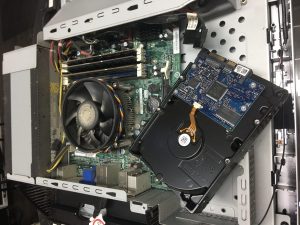
If you are searching for computer repair near me, you can learn more about our services on our computer repair page. For desktop and PC-specific diagnostics and service, visit our PC repair page.
12. The Future of Computer and PC Repair
The future of repair is not simply about replacing technicians with artificial intelligence or automated tools. Instead, technology is giving skilled technicians more information and better diagnostic capabilities while modern hardware is creating new repair challenges.
In 2026 and beyond, successful computer repair will increasingly combine software diagnostics, hardware testing, motherboard-level knowledge, microsoldering, data recovery awareness, thermal management, security, and experience with increasingly powerful gaming computers.
Repair Can Help Extend the Life of Technology
Repairing and upgrading computers when practical can help customers get more value from their existing devices while reducing unnecessary electronic waste. For a business computer, extending its useful life may also reduce disruption and replacement costs.
Professional Diagnosis Remains the Foundation
No matter how sophisticated diagnostic technology becomes, the most important question remains the same: what is actually causing the problem? Accurate diagnosis helps avoid unnecessary parts replacement and allows customers to make informed decisions about repair, upgrades, data recovery, or replacement.
Frequently Asked Questions About Computer Repair in 2026
What are the biggest computer repair trends in 2026?
Important trends include AI-assisted diagnostics, advanced motherboard and component-level repair, increased gaming PC specialization, SSD and data-recovery technology, remote software support, thermal management, cybersecurity, and greater interest in repairing and upgrading devices instead of automatically replacing them.
Can AI diagnose a broken computer?
AI-assisted software can help analyze logs, errors, system information, and behaviour, but it cannot replace all physical testing. No-power problems, damaged motherboards, failed components, liquid damage, and other hardware faults still require hands-on diagnosis.
Where can I find computer repair near me in Richmond Hill?
Maple Cell Phone & Laptop Repair is located at 360 Newkirk Rd, Richmond Hill, ON. We provide diagnostics and repair for laptops, desktop computers, PCs, gaming systems, and many hardware and software problems.
Do you provide PC repair near me?
Yes. Customers searching for PC repair near me, PC repairs near me, PC repair shops near me, or a PC repair shop near me can bring their computer to our Richmond Hill location for diagnosis and repair.
Do you repair gaming PCs?
Yes. We provide gaming PC repair and gaming computer repair for problems such as no display, overheating, crashes, boot failures, unstable hardware, GPU issues, power problems, storage faults, and other gaming-computer problems.
Why does my gaming computer shut down while playing games?
Unexpected shutdowns can be caused by overheating, power-supply problems, GPU or CPU instability, memory issues, drivers, motherboard faults, or other hardware and software problems. Testing under appropriate conditions helps determine the actual cause.
Is it worth repairing an older computer?
It depends on the computer’s age, specifications, repair cost, condition, and intended use. An SSD or RAM upgrade can significantly improve some older systems, while computers with multiple expensive failures may be less economical to repair.
Can a water-damaged computer be repaired?
Sometimes. The outcome depends on the type of liquid, extent of corrosion, affected components, and whether the device continued receiving power after the spill. Motherboard inspection and component-level diagnosis can determine whether repair is practical.
Can you repair a computer that will not turn on?
Yes, no-power computers can be diagnosed. Possible causes include a failed power supply or charger, battery problems, damaged charging circuitry, motherboard faults, short circuits, RAM problems, or other hardware failures.
Can computer repair be performed remotely?
Some software problems can be handled remotely if the computer can boot and connect securely to the internet. Physical problems involving the motherboard, SSD, RAM, cooling system, power supply, screen, keyboard, or other hardware require hands-on service.
Do you repair Dell computers?
Yes. We diagnose many Dell desktops and laptops along with systems from HP, Lenovo, ASUS, Acer, MSI, and other manufacturers. The exact repair depends on the model and problem.
Do you provide computer repair for customers from Vaughan and Markham?
Yes. Our shop is located in Richmond Hill and serves customers from Richmond Hill, Vaughan, Maple, Markham, Thornhill, Aurora, Newmarket, King City, Woodbridge, Concord, North York, Toronto, and surrounding areas.
Professional Computer, PC & Gaming Computer Repair in Richmond Hill
Computer technology will continue to evolve, but the need for accurate diagnosis and skilled repair remains. AI-assisted tools, advanced motherboard diagnostics, modern data-recovery techniques, gaming hardware expertise, and improved repair methods can help technicians solve increasingly complex problems while extending the useful life of computers.
If you need computer repair, PC repair, or gaming computer repair, Maple Cell Phone & Laptop Repair provides professional diagnostics and repair at 360 Newkirk Rd, Richmond Hill, ON.
We serve Richmond Hill, Maple, Vaughan, Thornhill, Markham, Aurora, Newmarket, King City, Woodbridge, Concord, North York, Toronto, and surrounding areas.
Maple Cell Phone & Laptop Repair
360 Newkirk Rd, Richmond Hill, ON
Phone: 416-587-7105
Review our computer and laptop repair services or gaming PC diagnostics, and contact the Richmond Hill shop to discuss your device.