7 signs you need Macbook water damage repair Richmond Hill
A spilled drink, moisture exposure, or internal corrosion can cause charging problems, keyboard failure, screen issues, unexpected shutdowns, and complete power failure. Our experienced technicians diagnose the damage carefully and determine whether the logic board and affected components can be repaired.
Visit our repair shop at 360 Newkirk Rd., Richmond Hill, ON L4C 3G7, or call 416-587-7105 for professional MacBook inspection and repair.
MacBook Water Damage Repair Richmond Hill
Liquid damage can continue affecting a MacBook even after the outside appears dry. Water, coffee, tea, juice, and other liquids may reach the keyboard, trackpad, battery connector, charging circuit, display connector, or motherboard.
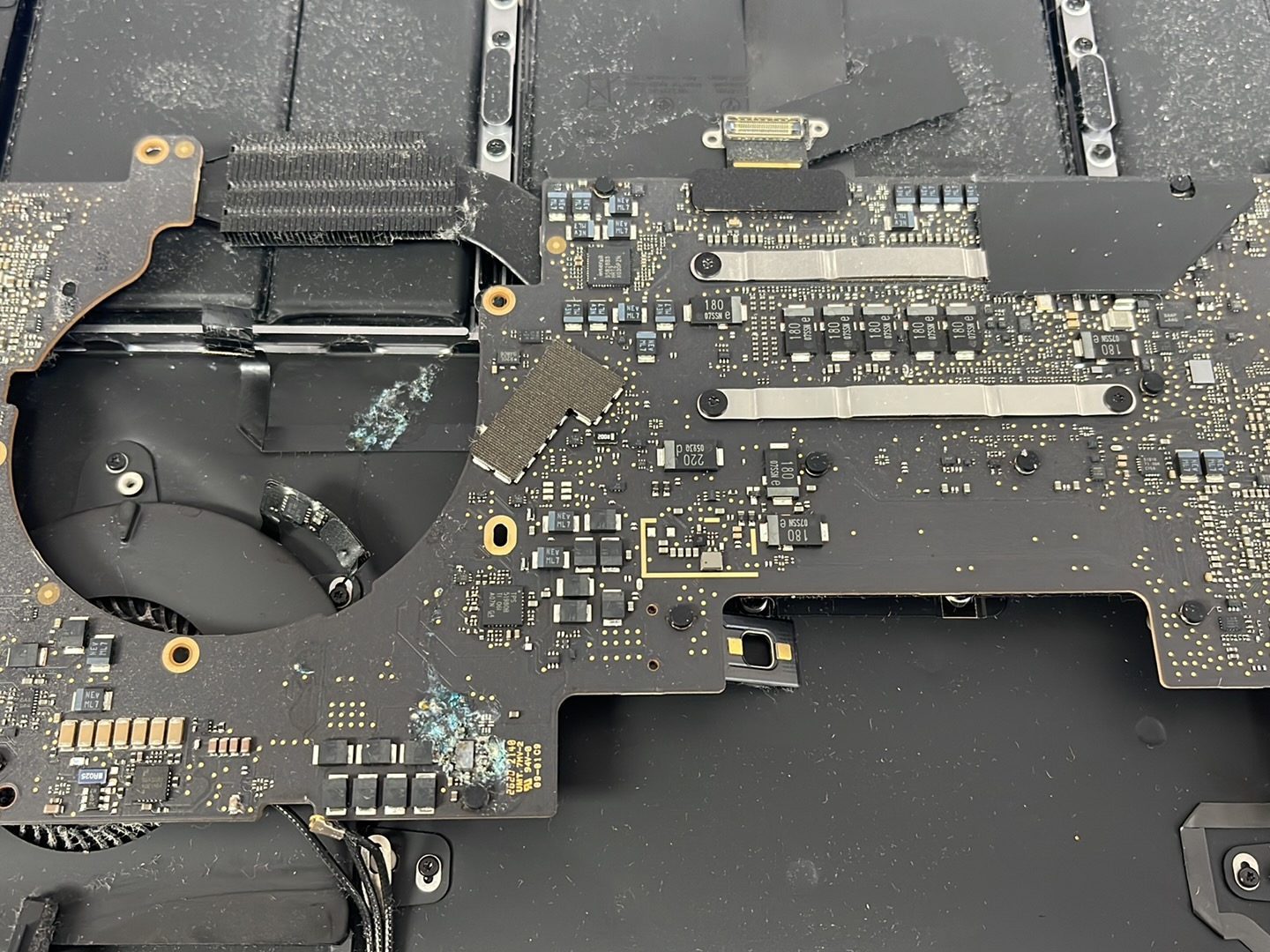
Moisture can cause corrosion and electrical shorts on the logic board. Turning on or charging a wet MacBook may increase the damage, so it is best to disconnect the charger, stop using the computer, and arrange professional diagnostics as soon as possible.
Our MacBook Water Damage Repair Richmond Hill service includes internal inspection, corrosion assessment, logic board testing, connector inspection, power-rail diagnosis, and evaluation of important data.
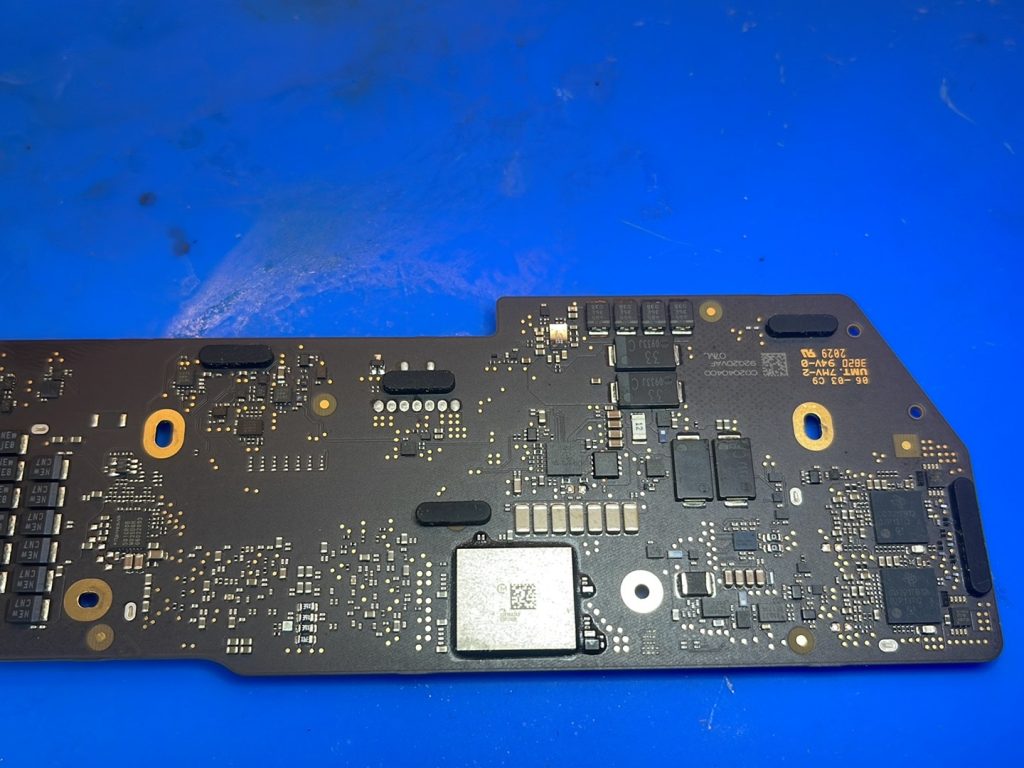
7 Signs Your MacBook May Have Liquid or Motherboard Damage
1. Your MacBook Does Not Turn On
A MacBook that suddenly stops powering on may have a damaged charging circuit, shorted component, battery problem, or logic board failure. Professional diagnostics can determine whether board-level repair is possible.
2. Your MacBook Does Not Charge
Liquid entering through the keyboard, charging port, or ventilation openings may affect the USB-C charging circuit, MagSafe connector, power-management components, or battery connection.
We diagnose MacBook Pro and MacBook Air charging problems before recommending charging-port replacement, battery replacement, or motherboard repair.
3. The Keyboard or Trackpad Stops Working
A common sign of liquid damage is a keyboard with unresponsive keys, repeated characters, incorrect inputs, or no response. The trackpad may also stop clicking or moving the cursor correctly.
We inspect the keyboard, trackpad, connecting cables, and logic board to identify the actual source of the problem.
4. The Screen Is Black, Flickering, or Distorted
A MacBook may appear to turn on while showing no image, a dim display, flickering, lines, or unusual colours. Liquid can damage the screen assembly, display cable, backlight circuit, or display connector on the motherboard.
Our technicians test the screen and logic board separately to avoid replacing parts unnecessarily.
5. The MacBook Shuts Down Unexpectedly
Random shutdowns, restarting, freezing, and boot-loop problems may be connected to corrosion, damaged power circuits, battery failure, or motherboard faults.
Advanced diagnostics help locate the failing component and determine whether repair, replacement, or data recovery is the best solution.
6. You Notice Heat, Odour, or Unusual Fan Activity
A damaged component may cause excessive heat, unusual fan noise, or abnormal power consumption. Stop using the MacBook if it becomes unusually hot or produces an electrical smell.
Continuing to operate the computer may cause additional motherboard damage and reduce the possibility of successful repair.
7. The MacBook Works Temporarily After a Spill
Some liquid-damaged MacBooks continue working for several hours or days before problems begin. Corrosion can develop gradually and affect circuits over time.
Even when the MacBook appears normal, an internal inspection can identify moisture residue and early corrosion before the damage becomes more serious.
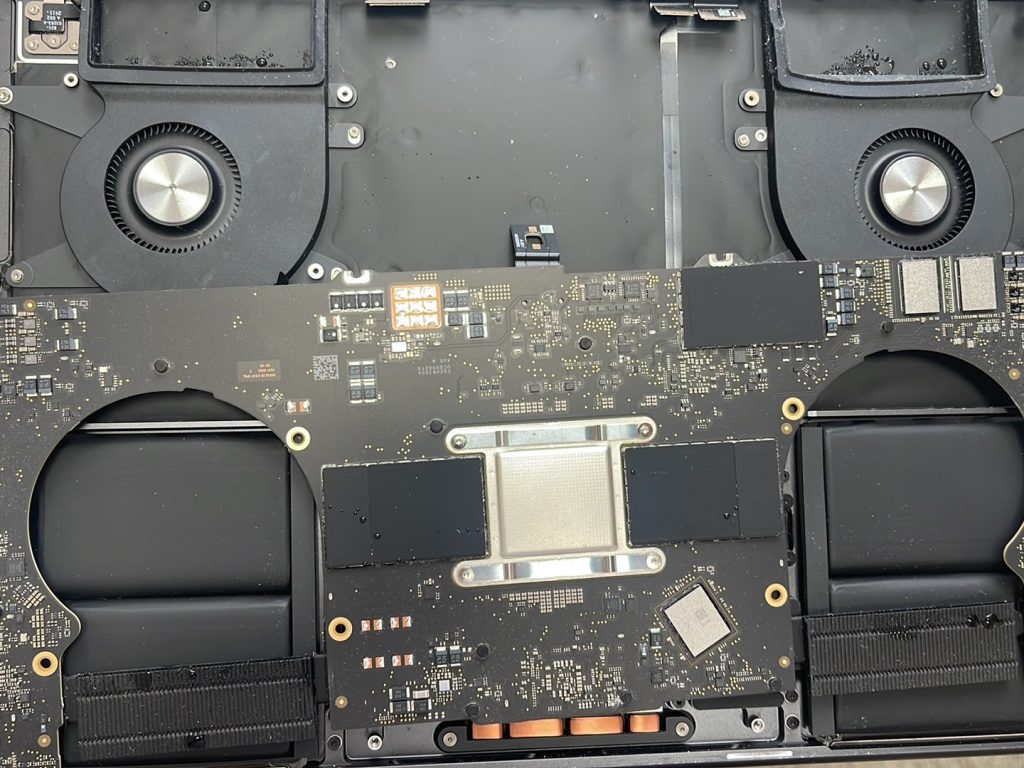
MacBook Pro Motherboard and Logic Board Repair
We provide professional MacBook Pro motherboard repair and MacBook Pro logic board repair for no-power, charging, display, keyboard, overheating, and liquid-damage problems.
Board-level repair may involve identifying shorted components, repairing damaged circuits, replacing failed chips, restoring corroded connections, and performing precision microsoldering under magnification.
Replacing the entire motherboard is not always necessary. In many cases, component-level repair may preserve the original board and provide a more practical solution.
MacBook Air Water Damage and Motherboard Repair
Our MacBook Water Damage Repair Richmond Hill service also covers MacBook Air computers with no power, charging failure, water-damaged keyboards, trackpad problems, screen issues, and logic board faults.
We service Intel-based MacBook Air models and Apple silicon models using M-series processors. Each MacBook is inspected individually because the repair requirements depend on where the liquid entered and which circuits were affected.
After diagnosis, we explain the damage, repair options, estimated cost, and expected turnaround before proceeding with the approved work.
Our MacBook Water Damage Repair Process
Initial Inspection
We examine the MacBook for visible liquid residue, corrosion, damaged connectors, and signs of previous repair attempts.
Internal Diagnostics
The bottom cover is removed so the battery, logic board, charging circuits, keyboard connections, trackpad cable, display connector, and internal components can be inspected.
Motherboard Testing
Professional diagnostic equipment is used to check voltage lines, charging behaviour, short circuits, damaged components, and power-management functions.
Logic Board Repair
When repairable, damaged circuits and components are restored using board-level repair and microsoldering techniques.
Testing and Quality Control
After repair, we test power, charging, battery operation, keyboard, trackpad, Wi-Fi, sound, cameras, ports, display, sleep functions, and general system stability.
MacBook Data Recovery After Water Damage
Data recovery may be the most important concern when a liquid-damaged MacBook contains valuable photos, business documents, schoolwork, customer files, or personal information.
Our technicians evaluate the storage system and motherboard to determine the safest recovery approach. Some MacBook models use removable storage, while newer models may have storage integrated with the logic board.
For integrated-storage models, the motherboard may need to be repaired sufficiently for the computer to start and allow access to the encrypted data. Data recovery results depend on the condition of the logic board, storage components, encryption system, and previous damage.
Learn more about Apple’s recommended steps for Mac computers through the official Apple Mac Support website. Apple also provides general service information through its Mac repair and service page.
Additional MacBook Repair Services
In addition to MacBook Water Damage Repair Richmond Hill, we provide:
- MacBook Pro screen replacement
- MacBook Air screen replacement
- MacBook battery replacement
- Keyboard and trackpad repair
- USB-C and MagSafe charging repair
- Motherboard and logic board repair
- Microsoldering and component-level repair
- Fan cleaning and overheating repair
- macOS troubleshooting and installation
- SSD upgrades on compatible models
- MacBook data recovery
OEM and premium-quality replacement parts are available whenever applicable. The recommended part depends on the MacBook model, condition, repair requirements, and customer preference.
MacBook Models We Repair
We repair many generations of MacBook Pro and MacBook Air, including Intel and Apple silicon models.
MacBook Pro Models
Supported MacBook Pro computers include selected 13-inch, 14-inch, 15-inch, and 16-inch models using Intel, M1, M2, M3, M4, and compatible newer Apple silicon platforms.
Common model numbers include A1278, A1398, A1502, A1706, A1707, A1708, A1989, A1990, A2141, A2159, A2251, A2289, A2338, A2442, A2485, A2779, A2780, A2918, A2991, A2992, A2993, A3112, A3185, A3186, A3401, and A3403.
MacBook Air Models
Supported MacBook Air computers include selected 11-inch, 13-inch, and 15-inch models using Intel, M1, M2, M3, M4, and compatible newer Apple silicon platforms.
Common model numbers include A1466, A1932, A2179, A2337, A2681, A2941, A3113, A3114, A3240, and A3241.
Please contact us with the model number printed on the bottom cover if you are uncertain whether your MacBook is supported.
Why Choose Our Richmond Hill MacBook Repair Shop?
Maple Cell Phone and Laptop Repair provides professional diagnostics for complex MacBook motherboard and liquid-damage problems. We focus on identifying the actual fault before recommending replacement parts.
- Advanced MacBook diagnostics
- Logic board and motherboard repair
- Component-level microsoldering
- Water and liquid-damage assessment
- Data recovery evaluation
- Clear repair options and estimates
- OEM and premium-quality parts when applicable
- Local service in Richmond Hill
Explore our Richmond Hill repair services for MacBooks, laptops, computers, phones, tablets, and game consoles.
Frequently Asked Questions
Can a water-damaged MacBook be repaired?
Many water-damaged MacBooks can be repaired. The result depends on the amount of liquid, affected components, corrosion level, and whether the computer was powered on after the spill.
Can a MacBook motherboard be repaired?
Yes. Many motherboard problems can be repaired at the component level without replacing the complete logic board. A professional diagnosis is required to determine whether repair is practical.
Should I turn on my MacBook after spilling water on it?
No. Disconnect the charger, stop using the MacBook, and avoid repeatedly pressing the power button. Applying power may cause additional electrical damage.
Should I put a wet MacBook in rice?
No. Rice does not remove liquid trapped under chips, connectors, shields, or internal components. It may also introduce dust and particles into the computer.
How much does MacBook water damage repair cost?
The cost depends on the MacBook model, affected components, corrosion level, required parts, and whether motherboard repair or data recovery is needed. We provide an assessment before beginning approved repairs.
Can you recover data from a MacBook that does not turn on?
Data recovery may be possible, but the method depends on the model and storage design. Newer MacBooks may require logic board repair before encrypted data can be accessed.
How long does MacBook motherboard repair take?
Repair time depends on the fault, corrosion level, required components, testing, and parts availability. Complex board-level repairs may require additional diagnostic and testing time.
Visit Our MacBook Repair Shop in Richmond Hill
For professional MacBook Water Damage Repair Richmond Hill, visit Maple Cell Phone and Laptop Repair at 360 Newkirk Rd., Richmond Hill, ON L4C 3G7.
We serve customers from Richmond Hill, Maple, Vaughan, Thornhill, Markham, Aurora, King City, Newmarket, Woodbridge, Concord, North York, Toronto, and surrounding GTA communities.
Call 416-587-7105 or contact our Richmond Hill shop to ask about MacBook Pro and MacBook Air water damage, motherboard repair, logic board repair, charging problems, screen replacement, and data recovery.