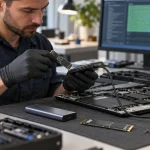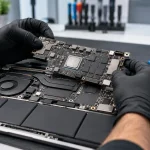
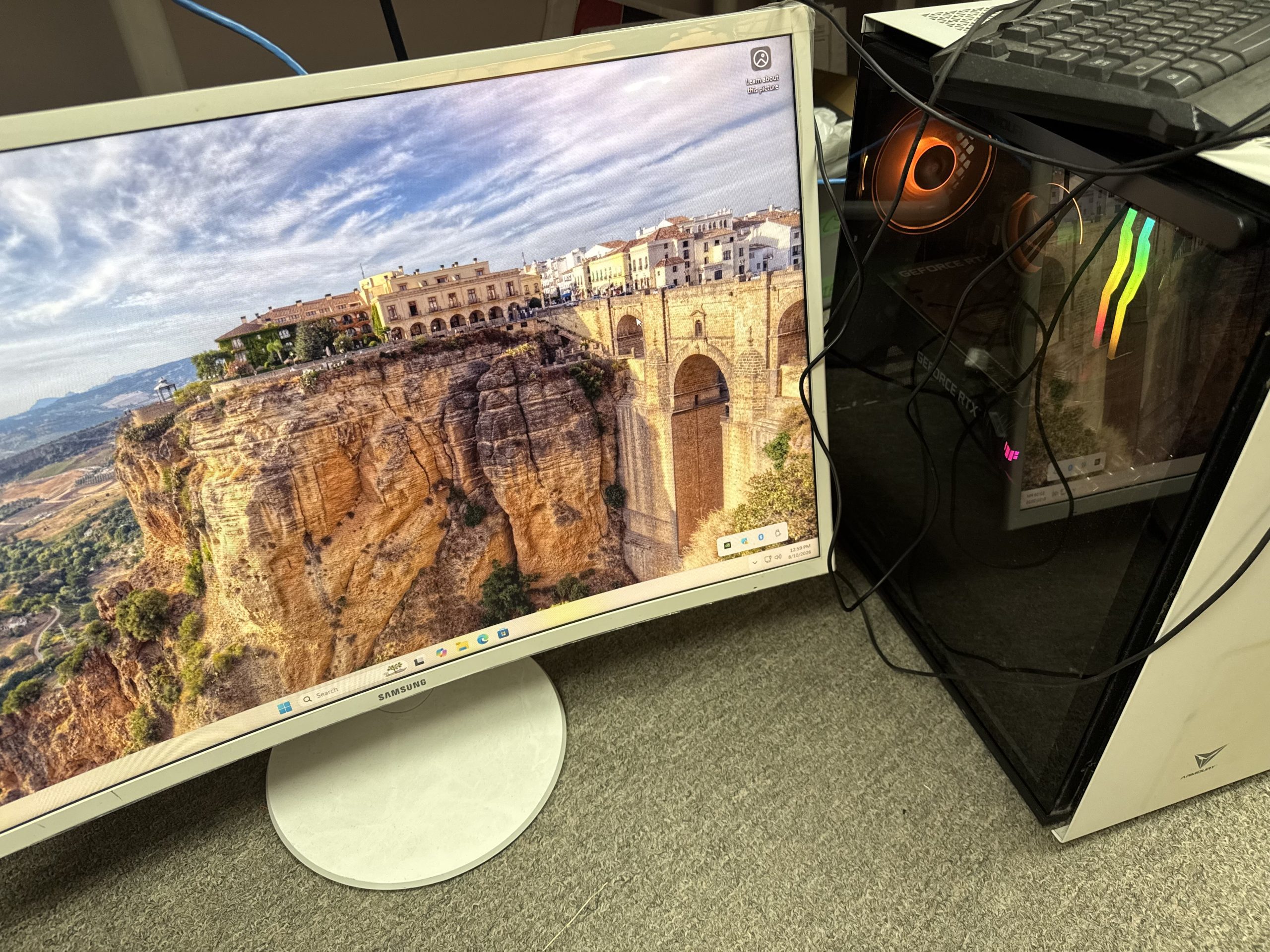
Gaming PC Repair Near Me in Richmond Hill – Professional Gaming Computer & Laptop Repair
If your gaming computer is overheating, crashing, showing no display, shutting down during games, or simply not performing the way it should, finding reliable gaming PC repair near me can save you time, money, and frustration. Gaming computers use powerful components that generate more heat and consume more power than ordinary office computers, so diagnosing them correctly requires experience with graphics cards, gaming motherboards, high-performance cooling systems, power supplies, RAM, SSDs, and gaming software.
At Maple Cell Phone & Laptop Repair, we provide professional gaming computer repair near me services in Richmond Hill, Ontario. Our technicians diagnose hardware and software problems affecting custom gaming desktops, pre-built gaming computers, and gaming laptops. Whether your system has no power, no display, overheating problems, random shutdowns, low FPS, blue screens, damaged ports, storage problems, or motherboard issues, we can inspect the system and recommend the appropriate repair.
Visit us at 360 Newkirk Rd., Richmond Hill, ON, call 416-587-7105, or visit maplelaptopservices.com to learn more about our computer and gaming repair services.
Table of Contents
- What Is Gaming PC Repair?
- Gaming PC No Power Repair
- Gaming PC Turns On but Has No Display
- Gaming PC Overheating Repair
- GPU and Graphics Card Problems
- Power Supply Problems
- Gaming Motherboard Repair
- Crashing, Freezing and Blue Screen Problems
- Low FPS and Slow Gaming Performance
- Gaming PC Upgrades
- Gaming Laptop Repair
- Gaming Console Repair
- Why Choose a Local Gaming Computer Repair Shop?
- Frequently Asked Questions
What Is Gaming PC Repair?
Gaming PC repair involves diagnosing and repairing problems in computers designed for demanding games, graphics applications, streaming, and other high-performance workloads. Unlike many standard desktops, gaming computers often contain dedicated graphics cards, larger power supplies, high-speed RAM, multiple cooling fans, liquid cooling systems, NVMe SSDs, RGB controllers, and performance-oriented motherboards.
Because these components work together, one failing part can create symptoms that look like a completely different problem. For example, a weak power supply may look like a graphics card failure, overheating may cause unexpected shutdowns, and damaged RAM may cause random game crashes or Windows blue screens. Professional gaming computer repair focuses on testing the system instead of simply replacing parts without diagnosis.
Gaming PC Repair Near Me for No Power Problems
One of the most common reasons people search for gaming PC repairs near me is that the computer suddenly stops turning on. A no-power problem can be caused by several components, including the power supply, motherboard, power button, internal wiring, graphics card, or electrical protection circuits.
If pressing the power button produces no lights, no fans, and no sound, the problem may be related to the power supply or motherboard. If the fans briefly spin and then stop, the system may be detecting a short circuit or hardware fault.
Our diagnostic process can include testing the PSU output, motherboard power rails, CPU power connection, graphics card power cables, RAM, and connected devices. This helps determine whether the computer needs a power supply replacement, board-level repair, cable replacement, or another service.
Gaming PC Turns On but Has No Display
A gaming PC that powers on but shows a black screen is another common repair issue. The fans may spin, RGB lights may turn on, and the keyboard may light up, but nothing appears on the monitor.
Possible causes include:
- Graphics card failure
- Loose or damaged GPU connection
- RAM problems
- Motherboard problems
- BIOS issues
- CPU problems
- Damaged HDMI or DisplayPort connections
- Power supply instability
A proper gaming computer repair near me service should test the system with known working components where appropriate and isolate the cause before recommending replacement parts.
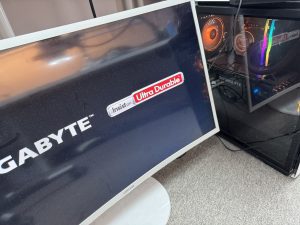
Gaming PC Overheating Repair
Heat is one of the biggest enemies of gaming hardware. High-performance CPUs and GPUs can generate significant heat, particularly during long gaming sessions, video editing, rendering, or streaming.
Common signs of overheating include:
- Fans running very loudly
- Games slowing down after several minutes
- Sudden shutdowns
- Computer restarting under load
- High CPU or GPU temperatures
- Reduced frame rates
- System freezing during demanding games
Overheating can be caused by dust buildup, blocked airflow, failing fans, dried thermal compound, poor case ventilation, loose heatsinks, or liquid cooling problems. Our gaming PC repair service can include cleaning, fan inspection, heatsink inspection, thermal maintenance, cable management review, and temperature testing.
Correct cooling is especially important because repeated overheating can shorten the life of a graphics card, motherboard, CPU, and storage devices.
GPU and Graphics Card Problems
The graphics card is one of the most important and expensive components in many gaming systems. GPU problems can cause no display, crashes, visual artifacts, driver errors, low performance, random restarts, or games that refuse to launch.
If you are searching for gaming computer repairs near me because of a suspected graphics card issue, it is important to test the entire system before assuming the GPU itself is damaged.
Similar symptoms can also be caused by:
- A weak or failing power supply
- Damaged PCIe slots
- Driver problems
- Overheating
- Motherboard faults
- Loose power connections
- Windows corruption
Testing the graphics card together with the rest of the hardware helps prevent unnecessary replacement of expensive parts.
Power Supply Problems in Gaming Computers
Gaming PCs can require much more electrical power than standard computers, particularly when they use high-end graphics cards. A failing or undersized power supply can create intermittent problems that are difficult to diagnose.
A damaged PSU may cause:
- Random shutdowns
- Computer restarting during gaming
- No power
- GPU crashes
- System instability
- Fans starting and stopping
When upgrading a graphics card, it is also important to verify that the existing power supply has enough capacity and the correct power connectors. Professional gaming computer repair can help determine whether the PSU is actually causing the problem.
Gaming Motherboard Repair
The motherboard connects nearly every major component in your gaming PC. Problems with power delivery, BIOS, USB ports, PCIe slots, RAM slots, charging circuits, or other board components can prevent a gaming computer from working correctly.
Common motherboard-related symptoms include no power, no display, failed USB ports, damaged audio, intermittent restarts, memory errors, and failure to detect storage devices.
Depending on the fault and the value of the computer, motherboard-level diagnosis and repair may be a practical alternative to replacing the entire board. This is particularly useful for specialized gaming systems where replacement motherboards are expensive or difficult to find.
Gaming PC Crashing, Freezing and Blue Screen Repair
Games that suddenly freeze or crash can be caused by both hardware and software issues. Windows blue screens may also indicate RAM errors, storage problems, driver conflicts, overheating, graphics card faults, or motherboard issues.
Our gaming PC repairs near me service can include hardware diagnostics, memory testing, storage testing, driver inspection, Windows checks, temperature monitoring, and component testing.
Instead of guessing which component is bad, the goal is to recreate the problem when possible and identify what happens immediately before the crash.
Low FPS and Slow Gaming Performance
A gaming computer does not need to be completely broken to need service. Many customers search for gaming PC repair near me because the computer is running but gaming performance has dropped.
Low FPS can be caused by:
- CPU or GPU overheating
- Background applications
- Outdated or damaged drivers
- Insufficient RAM
- Slow storage
- Windows problems
- Malware or unwanted software
- Cooling problems causing thermal throttling
- Hardware that no longer meets game requirements
A performance diagnosis can help determine whether the computer needs repair, maintenance, software cleanup, or an upgrade.
Gaming PC Upgrades
Sometimes the best solution is not a repair but an upgrade. Gaming computers are often designed to allow component replacement, making it possible to improve performance without buying an entirely new PC.
Common gaming upgrades include:
- RAM upgrades
- SSD and NVMe storage upgrades
- Graphics card upgrades
- Power supply upgrades
- CPU upgrades
- Cooling upgrades
- Additional case fans
- Windows upgrades
Compatibility is important when upgrading. A new graphics card may require a stronger power supply, a new CPU may require a different motherboard or BIOS version, and some motherboards have limitations on RAM speed and capacity.
Professional gaming computer repair near me services can help verify compatibility before new components are installed.
Gaming Laptop Repair in Richmond Hill
We also provide gaming laptop repair for systems from popular manufacturers. Gaming laptops combine high-performance components inside a compact chassis, which makes proper cooling especially important.
Typical gaming laptop problems include:
- Overheating
- No power
- No display
- Broken screens
- Battery problems
- Charging port problems
- Keyboard problems
- Fan noise
- Liquid damage
- Motherboard problems
- SSD and RAM upgrades
Brands may include ASUS ROG, Alienware, MSI, Acer Predator, Lenovo Legion, HP Omen, Dell gaming laptops, and other high-performance models.
Gaming Console Repair
Although this article focuses mainly on gaming PC repair, many customers also need gaming console repair. Console problems can include HDMI port damage, no display, power problems, overheating, damaged USB ports, storage problems, or motherboard faults.
If you have a PlayStation, Xbox, Nintendo Switch, or another gaming device that requires service, contact us to discuss the problem and available repair options.
Keeping console repair separate from gaming computer repair is useful because these devices use different hardware and require different diagnostic approaches.
Why Choose a Local Gaming Computer Repair Shop?
When searching online for gaming PC repair near me or gaming computer repair near me, choosing a local repair shop makes it easier to explain the problem, bring the computer in for diagnosis, and discuss repair options directly.
Maple Cell Phone & Laptop Repair provides repair services from our Richmond Hill location at:
Maple Cell Phone & Laptop Repair
360 Newkirk Rd.
Richmond Hill, ON
Phone: 416-587-7105
Website: maplelaptopservices.com
We assist customers from Richmond Hill and surrounding communities who need gaming PC repair, gaming desktop repair, gaming laptop repair, computer repair, upgrades, and diagnostics.
When Should You Repair Instead of Replace a Gaming PC?
A damaged gaming computer does not automatically need to be replaced. Repair can make sense when the problem is limited to one component, such as a power supply, SSD, cooling fan, RAM module, charging port, or graphics card.
Even motherboard problems can sometimes be repairable depending on the fault. Since gaming PCs often contain expensive components, diagnosing the actual issue first can help determine whether repairing or replacing the system provides better value.
Older systems may also benefit from upgrading RAM, storage, cooling, or selected components instead of replacing the entire computer.
Frequently Asked Questions About Gaming PC Repair
How do I know if I need gaming PC repair?
If your gaming computer has no power, no display, overheating, crashing, blue screens, low FPS, random shutdowns, fan problems, storage errors, or graphics problems, professional diagnosis can help identify the cause.
Do you repair custom-built gaming computers?
Yes. Custom-built gaming PCs can be diagnosed for power, display, cooling, GPU, motherboard, RAM, storage, Windows, and other hardware or software problems.
Can you repair a gaming PC that turns on but shows no display?
Yes. No-display problems may involve the graphics card, RAM, motherboard, BIOS, PSU, CPU, monitor connection, or related hardware. Diagnosis is needed to determine the actual cause.
Can overheating damage a gaming computer?
Excessive heat can reduce performance and may shorten the life of components over time. Cleaning, cooling-system inspection, fan service, airflow improvements, and thermal maintenance can help manage temperatures.
Do you provide gaming laptop repair?
Yes. We service gaming laptops for common problems such as overheating, broken screens, batteries, charging ports, keyboards, fans, liquid damage, motherboard problems, storage, and memory upgrades.
Can you upgrade my gaming PC?
Depending on the system, upgrades may include RAM, SSDs, NVMe storage, graphics cards, power supplies, cooling components, and other compatible hardware.
Why does my gaming PC shut down while playing games?
Possible causes include overheating, a failing power supply, GPU problems, motherboard issues, unstable RAM, driver problems, or other hardware faults. Testing is recommended before replacing components.
Do you repair gaming consoles too?
Gaming console repair is also available for selected problems involving PlayStation, Xbox, Nintendo Switch, and other gaming devices. Contact us with the model and problem for more information.
Where are you located?
Maple Cell Phone & Laptop Repair is located at 360 Newkirk Rd., Richmond Hill, Ontario.
How can I contact you?
Call 416-587-7105 or visit maplelaptopservices.com for information about gaming PC repair, gaming computer repair, gaming laptop repair, and other device repair services.
Gaming PC Repair Near Me in Richmond Hill
If you are searching for gaming PC repair near me, gaming computer repair near me, gaming PC repairs near me, or gaming laptop repair in Richmond Hill, Maple Cell Phone & Laptop Repair can help diagnose the problem and explain your repair options.
From overheating and no-display problems to graphics card issues, power supply faults, motherboard problems, crashes, low performance, storage failures, and upgrades, our goal is to identify the cause of the problem before recommending a repair.
Visit Maple Cell Phone & Laptop Repair at 360 Newkirk Rd., Richmond Hill, ON, call 416-587-7105, or visit maplelaptopservices.com.
Bring your gaming PC, gaming laptop, or other device in for professional diagnosis and repair.
Gaming PC Repair in Richmond Hill and Surrounding Areas
Maple Cell Phone & Laptop Repair provides professional gaming PC repair and gaming computer repair services from our Richmond Hill location. We also welcome customers from surrounding communities throughout York Region and nearby areas who are looking for reliable gaming computer diagnostics, repairs, maintenance, and upgrades.
Our gaming PC and gaming laptop repair services are available to customers from:
- Richmond Hill
- Maple
- Vaughan
- Thornhill
- Markham
- Aurora
- King City
- Newmarket
- Woodbridge
- Concord
- North York
- Tor0nt0
Whether you are searching for gaming PC repair near me, gaming computer repair near me, gaming PC repairs near me, or gaming laptop repair, you can bring your computer to our Richmond Hill repair location for professional diagnosis.
We diagnose gaming computers with problems such as no power, no display, overheating, GPU issues, motherboard faults, power supply problems, random shutdowns, blue screens, low FPS, loud fans, SSD failures, RAM problems, and Windows issues. We can also assist with gaming PC upgrades, including RAM, SSD and NVMe storage, graphics cards, power supplies, and cooling components when compatible with the system.
Maple Cell Phone & Laptop Repair
360 Newkirk Rd.
Richmond Hill, ON
Phone: 416-587-7105
Website: maplelaptopservices.com
Frequently Asked Questions About Gaming PC Repair
What are the most common gaming PC problems?
Common gaming PC problems include overheating, no power, no display, crashes, blue screens, low FPS, loud fans, graphics card problems, power supply faults, motherboard issues, storage failures, and Windows or driver problems.
How do I know if my gaming PC needs professional repair?
If your gaming PC repeatedly shuts down, freezes, overheats, shows no display, will not turn on, crashes during games, or has a sudden drop in performance, professional diagnosis can help determine whether the problem is hardware, software, cooling, or power related.
Can you repair a gaming PC that will not turn on?
Yes. A no-power gaming PC can be diagnosed for power supply problems, motherboard faults, damaged power connections, graphics card issues, short circuits, or other hardware failures.
Why does my gaming PC turn on but show no display?
A no-display problem may involve the graphics card, RAM, motherboard, BIOS, CPU, power supply, HDMI or DisplayPort connection, or another hardware component. Testing is recommended before replacing expensive parts.
Can you fix a gaming PC that overheats?
Yes. Gaming PC overheating repair may include internal dust cleaning, fan inspection, heatsink inspection, thermal maintenance, airflow evaluation, and testing CPU and GPU temperatures.
Why does my gaming PC shut down while playing games?
Unexpected shutdowns during gaming can be caused by overheating, a failing power supply, GPU problems, motherboard faults, unstable RAM, driver issues, or other hardware problems.
Do you repair gaming graphics cards and GPU problems?
We diagnose gaming PC graphics problems including no display, visual artifacts, crashes, driver errors, overheating, and unstable performance. Because similar symptoms can also come from the PSU or motherboard, the complete system should be tested first.
Can you upgrade my gaming PC?
Depending on compatibility, gaming PC upgrades may include RAM, SSD or NVMe storage, graphics cards, power supplies, cooling components, fans, and other hardware. Compatibility should be checked before installing new components.
Do you repair custom-built gaming PCs?
Yes. Custom-built gaming computers can be diagnosed for motherboard, GPU, CPU, RAM, storage, cooling, power supply, BIOS, Windows, and other hardware or software problems.
Do you provide gaming laptop repair?
Yes. Gaming laptop repair services may include screen replacement, battery replacement, charging port repair, keyboard repair, overheating service, fan replacement, SSD and RAM upgrades, liquid damage diagnosis, and motherboard repair.
Do you repair ASUS ROG, MSI, Alienware and Lenovo Legion gaming laptops?
We service many gaming laptop brands and models, including ASUS ROG, MSI, Alienware, Lenovo Legion, Acer Predator, HP Omen, Dell gaming laptops, and other high-performance systems.
Can a slow gaming PC be repaired instead of replaced?
Yes, depending on the cause. Slow gaming performance may improve through cooling maintenance, software cleanup, driver repair, RAM upgrades, SSD upgrades, storage replacement, or other hardware improvements.
Is it worth repairing an older gaming PC?
It depends on the age of the computer, the failed component, repair cost, and available upgrade options. A diagnosis can help determine whether repairing or upgrading the system provides better value than replacing the entire PC.
Do you provide gaming console repair too?
Yes. We also provide selected gaming console repair services for PlayStation, Xbox, Nintendo Switch, and other gaming devices, including HDMI, power, overheating, port, and motherboard-related problems.
Where can I find gaming PC repair near me in Richmond Hill?
Visit Maple Cell Phone & Laptop Repair at 360 Newkirk Rd., Richmond Hill, ON. We provide gaming PC repair, gaming computer repair, gaming laptop repair, diagnostics, cleaning, upgrades, and other computer services.
How can I contact Maple Cell Phone & Laptop Repair?
Call 416-587-7105 or visit maplelaptopservices.com for information about gaming PC repair and other computer repair services in Richmond Hill.