MacBook Repair Markham: Professional MacBook Pro & MacBook Air Repair Near Me
Looking for reliable MacBook repair Markham services for a MacBook Pro or MacBook Air? Whether your MacBook has a cracked screen, weak battery, damaged charging port, keyboard problem, liquid damage, overheating issue, or a completely dead logic board, finding an experienced technician can make a major difference in the repair process.
At Maple Cell Phone & Laptop Repair, we provide professional MacBook diagnostics and repair from our Richmond Hill location at 360 Newkirk Rd, Unit 2, Richmond Hill, ON L4C 3G7. We welcome customers from Markham, Richmond Hill, Vaughan, Thornhill, North York, Toronto and surrounding communities who are searching for experienced Apple MacBook repair near me.
We work on many generations of MacBook Air and MacBook Pro and provide services ranging from routine battery and screen replacement to advanced logic board diagnostics and microsoldering. If you are unsure what is wrong with your MacBook, bring it in for an assessment before deciding whether repair or replacement makes more sense.
Table of Contents
- MacBook Repair for Markham Customers
- MacBook Pro & MacBook Air Repair
- MacBook Screen Repair
- MacBook Battery Replacement
- MacBook Charging Port Repair
- Keyboard & Trackpad Repair
- MacBook Water Damage Repair
- MacBook Logic Board & Motherboard Repair
- Overheating & Fan Problems
- Dead MacBook & No-Power Repair
- MacBook Data Recovery
- MacBook Repair Prices
- MacBook Repair for Nearby Cities
- MacBook Repair FAQs
MacBook Repair Markham: Where Can I Get My MacBook Repaired?
If you live or work in Markham and are searching for MacBook repair near me, our Richmond Hill repair location is an option for customers who need professional hardware diagnostics and repair. We regularly work on Apple laptops with problems ranging from straightforward part replacement to difficult board-level faults.
A MacBook problem does not always mean the entire computer needs to be replaced. A failed battery, damaged display, defective charging component, worn keyboard, faulty fan, or damaged component on the logic board can sometimes be repaired individually.
What MacBook Problems Do We Repair?
Our MacBook services cover many common hardware problems, including:
- MacBook Pro and MacBook Air screen replacement
- Battery replacement and battery diagnostics
- USB-C and charging problems
- Charging port repair
- Keyboard and trackpad problems
- Liquid and water damage
- Logic board and motherboard faults
- No-power and dead MacBook problems
- Overheating and fan problems
- Storage and startup problems
- Data recovery
- Board-level diagnostics and microsoldering
Do You Repair Both Older and Newer MacBooks?
We service many generations of MacBook Pro and MacBook Air. Because Apple has produced numerous models with different screens, batteries, keyboards, charging systems and internal designs, we recommend sending us the model number from the bottom cover before requesting a quote.
How Do I Find My MacBook Model Number?
Look at the small print on the bottom cover of your MacBook. You should find an Apple model number beginning with the letter “A,” such as A2337, A2442 or A2681. Send us that model number along with a description of the problem so we can identify the correct MacBook and provide more accurate repair information.
MacBook Pro Repair & MacBook Air Repair Near Markham
Although MacBook Pro and MacBook Air computers share many technologies, their internal hardware can differ considerably between generations. Correct model identification is therefore important before ordering parts or estimating a repair.
MacBook Pro Repair
MacBook Pro computers are commonly used for business, design, development, video editing and other demanding work. Problems can include damaged displays, batteries that no longer hold a charge, USB-C charging faults, keyboard issues, overheating, liquid damage and logic board failures.
Our MacBook Pro repair service begins by identifying the symptoms and determining which component or circuit is responsible whenever practical. This is particularly important with no-power and motherboard problems because replacing unrelated parts can increase repair costs without solving the original fault.
MacBook Air Repair
MacBook Air models are lightweight and portable, but they can still experience cracked displays, worn batteries, charging issues, damaged keyboards, liquid damage and logic board faults. We provide MacBook Air repair for many Intel and Apple silicon generations.
If you are searching for a MacBook repair shop near me because your Air or Pro has stopped working, send us the model number and symptoms before visiting whenever possible.
Apple MacBook Repair Screen Replacement
A damaged MacBook display can make an otherwise functional computer difficult or impossible to use. Screen damage can occur after a drop, impact, pressure on the lid, or an object becoming trapped between the keyboard and display when the MacBook is closed.
Common MacBook Screen Problems
- Cracked MacBook screen
- Black display
- Vertical or horizontal lines
- Flickering display
- Distorted image
- Damaged LCD panel
- Backlight problems
- Screen damage after impact
An Apple MacBook repair screen service should start with identifying the exact model because screen assemblies are not interchangeable across many generations. Contact us with the model number for screen availability and pricing.
MacBook Repair Battery Replacement
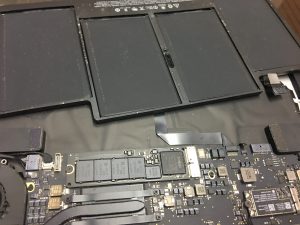
Battery wear is one of the most common reasons an older MacBook needs service. Rechargeable batteries naturally lose capacity with use and age. Eventually, a MacBook may run for significantly less time on battery power or display a battery service warning.
Signs Your MacBook May Need a New Battery
- Battery drains much faster than before
- MacBook shuts down unexpectedly
- Battery does not hold a useful charge
- Service Recommended battery message appears
- MacBook only works reliably while connected to power
- Battery is physically swollen
Our MacBook repair battery replacement service is available for many MacBook Pro and MacBook Air models. If you suspect a swollen battery, avoid pressing on the case or continuing to use the computer unnecessarily and have it inspected.
Does a Bad Battery Always Mean the Battery Is the Problem?
No. Charging and power symptoms can also originate from the charger, cable, charging port, USB-C circuitry, or logic board. Diagnosis is especially useful when a MacBook will not charge at all.
MacBook Repair Charging Port Repair
A MacBook that does not charge may have a damaged charging port, but the port itself is only one possible cause. Depending on the MacBook generation, charging can involve MagSafe or USB-C connections and several power-management components.
Our MacBook repair charging port repair service can include inspection of the charging connector and related hardware. Symptoms may include intermittent charging, a physically damaged port, a loose connection, no charging response, or a MacBook that recognizes power inconsistently.
Before Replacing a Charging Port
Whenever possible, the problem should be diagnosed rather than assuming that a new port will solve it. A faulty charger, damaged cable, battery issue or board-level charging fault can produce similar symptoms.
MacBook Keyboard & Trackpad Repair
A malfunctioning keyboard or trackpad can make everyday MacBook use frustrating. We provide MacBook keyboard repair and trackpad services for supported MacBook Air and MacBook Pro models.
Keyboard Problems We Diagnose
- Individual keys not responding
- Multiple keys not working
- Sticky or damaged keys
- Keyboard stops working after liquid exposure
- Keyboard behaves intermittently
MacBook Trackpad Problems
Trackpad issues can include no response, erratic cursor movement, clicking problems or physical pressure caused by a swollen battery beneath the trackpad area. Because a swollen battery can affect surrounding components, unusual trackpad behaviour should not automatically be treated as a trackpad-only problem.
MacBook Repair Water Damage
Liquid damage can be one of the more complicated MacBook repairs. Coffee, water and other liquids can reach the keyboard, trackpad, connectors and logic board. Even when a MacBook continues to operate immediately after a spill, corrosion or electrical damage may develop later.
If you are searching for MacBook repair water damage or water damage MacBook repair near me, avoid repeatedly trying to power on a liquid-damaged computer. Additional electrical activity can sometimes worsen an existing board fault.
What Happens During Liquid Damage Diagnosis?
The appropriate procedure depends on the extent and location of the damage. The MacBook may need to be opened and inspected for signs of contamination, corrosion, damaged connectors and board-level faults. Affected components can then be evaluated individually.
Can a Water-Damaged MacBook Be Repaired?
Some liquid-damaged MacBooks are repairable, while others have extensive damage. The result depends on factors such as the liquid involved, where it entered, which circuits were affected, and what happened after the spill. Inspection is necessary before determining the practical repair options.
MacBook Logic Board & Motherboard Repair
One of our more advanced services is MacBook logic board repair. The logic board is the main electronic board inside the MacBook and contains critical power, charging, storage, processing and communication circuitry.
When appropriate, board-level repair may provide an alternative to replacing an entire logic board. This type of MacBook repair motherboard repair requires electronic diagnostics and, in some cases, microsoldering.

Symptoms of a Possible Logic Board Problem
- MacBook completely dead
- No power after liquid damage
- Charging failure
- MacBook turns on but does not start normally
- Intermittent power problems
- Board-level short circuit or component failure
Board-Level MacBook Repair
Board-level repair is different from simply replacing a battery, screen or keyboard. The technician may need to troubleshoot power rails, inspect components, identify damaged areas and perform microsoldering. The exact procedure depends on the failure.
Should I Replace the Whole Logic Board?
Not automatically. The right decision depends on the fault, repairability, MacBook model, data considerations and overall cost. In some situations component-level repair can be considered before replacing the complete board.
MacBook Overheating & CPU Fan Repair
A MacBook that becomes unusually hot or has a constantly running fan may need inspection. Dust buildup, cooling problems, fan failure, heavy software activity and hardware faults can all contribute to heat-related symptoms.
We provide fan replacement and internal hardware diagnostics for supported MacBook models. The objective is to identify the reason for the symptom instead of replacing parts unnecessarily.
Dead MacBook & No-Power Repair
A MacBook that appears completely dead can have several possible causes. These include a discharged or failed battery, charging problem, damaged port, liquid damage, power-management issue or logic board fault.
My MacBook Won’t Turn On — Is the Motherboard Dead?
Not necessarily. “No power” describes a symptom, not a diagnosis. Proper testing is required to determine whether the issue is with an external power source, battery, charging circuit or logic board.
This is particularly important for customers comparing MacBook repair stores near me or MacBook repair shops near me. Advanced no-power cases may require more than simple part replacement.
MacBook Data Recovery
For many customers, the information stored on a failed MacBook can be more valuable than the computer itself. Photos, documents, business records and other important files may need to be considered during the repair process.
Data-recovery possibilities depend heavily on the MacBook model, storage architecture and nature of the failure. If your primary concern is recovering important data, tell us before repair work begins so that data preservation can be considered during diagnosis.
How Much Does MacBook Repair Cost?
MacBook repair prices vary because the cost depends on the exact model, required part, type of failure and amount of labour involved. A battery replacement is very different from a cracked display replacement or component-level logic board repair.
What Determines the MacBook Repair Price?
- Exact MacBook Pro or MacBook Air model
- Year and hardware generation
- Type of replacement part required
- Extent of physical or liquid damage
- Whether board-level diagnostics are required
- Availability of compatible replacement parts
If you are searching for cheap MacBook repair near me, price is important, but it should not be the only consideration. Correct diagnosis and the appropriate repair procedure can help avoid paying for a part that does not address the actual problem.
MacBook Repair Shop Near Me: What Should I Look For?
When comparing an Apple MacBook repair shop near me or independent MacBook repair centre, consider whether the shop works on your particular MacBook model and the type of problem you have.
Basic part replacement and advanced board repair require different equipment and technical experience. If your MacBook has a dead logic board, liquid damage or complicated charging issue, ask whether the repair provider performs diagnostics for those types of faults.
Independent MacBook Repair vs. Apple Service
Customers sometimes search for terms such as authorized MacBook repair near me or MacBook repair Apple Store. Apple, Apple Authorized Service Providers and independent repair businesses are different service options. Maple Cell Phone & Laptop Repair is an independent repair business and should not be confused with an Apple Store or Apple Authorized Service Provider.
An independent repair option can be particularly relevant when a customer wants to investigate component-level repair possibilities, older MacBook service or data-related concerns. The best option depends on your specific device, warranty status and repair needs.
MacBook Repair for Markham & Nearby Cities
Our physical repair location is in Richmond Hill, and we serve customers who travel to us from several nearby communities. Location-based searches often show different repair options depending on where the customer is searching from.
MacBook Repair Richmond Hill
Our shop is located in Richmond Hill, making MacBook repair Richmond Hill and MacBook repair in Richmond Hill especially relevant for local customers. Customers can contact us with their MacBook model and problem before visiting.
MacBook Repair Markham
For customers searching for MacBook repair Markham, our Richmond Hill location provides MacBook Pro and MacBook Air repair for customers coming from Markham. Services include screens, batteries, keyboards, charging problems, liquid damage, logic board diagnostics and more.
MacBook Repair Vaughan
We also welcome customers searching for MacBook repair Vaughan or MacBook repair in Vaughan. Depending on your location in Vaughan, our Richmond Hill shop may be a convenient option for professional MacBook diagnostics and hardware repair.
MacBook Repair North York
Customers looking for MacBook repair North York may also contact us about difficult MacBook hardware problems, particularly when they are looking for battery, screen, charging or board-level repair options.
MacBook Repair Toronto
We also receive inquiries from customers searching for MacBook repair Toronto. Before travelling from farther away, send us your model number and a description of the problem so we can discuss the repair and part availability first.
Other Areas We Serve
In addition to Markham and Richmond Hill, customers may visit us from Thornhill, Maple, Vaughan, Aurora, King City, Newmarket, North York, Toronto and surrounding areas.
Why Choose Professional MacBook Diagnostics?
Modern MacBooks combine the display, battery, charging system, storage, keyboard, trackpad and logic board into a tightly integrated computer. A symptom that appears simple can sometimes have more than one possible cause.
For example, a MacBook that does not charge could have a bad battery, damaged charging connector, cable problem or board-level issue. A MacBook with no display may have a screen problem, but a logic board fault can also result in no visible image. Diagnosis helps determine the actual repair path before unnecessary parts are replaced.
Contact Us for MacBook Repair Near Markham
If you are looking for MacBook repair near me in the Markham and Richmond Hill area, contact us with your MacBook model number and a description of the problem.
Maple Cell Phone & Laptop Repair
360 Newkirk Rd, Unit 2
Richmond Hill, ON L4C 3G7
Phone: 416-587-7105
Website: maplelaptopservices.com
For a more accurate quote, include your MacBook model number and tell us whether you need screen repair, battery replacement, keyboard repair, charging repair, liquid damage service, logic board repair or another service.
Frequently Asked Questions About MacBook Repair
Where can I get MacBook repair near Markham?
Customers looking for MacBook repair Markham can contact Maple Cell Phone & Laptop Repair at 360 Newkirk Rd, Unit 2, Richmond Hill. We repair many MacBook Pro and MacBook Air models and serve customers travelling from Markham and surrounding communities.
Do you repair both MacBook Pro and MacBook Air?
Yes. We provide MacBook Pro repair and MacBook Air repair for many different generations. Send us the model number from the bottom cover so we can identify your exact MacBook.
Can you replace a MacBook battery?
Yes. MacBook repair battery replacement is available for many MacBook Air and MacBook Pro models. Contact us with the model number for battery availability and a quote.
Can you replace a cracked MacBook screen?
Yes. We provide MacBook screen replacement for supported MacBook Air and MacBook Pro models. The exact display assembly depends on the model and generation.
Can you repair a MacBook that won’t charge?
Yes. A charging problem may involve the battery, charging port, charger, cable or logic board circuitry. We can diagnose supported MacBook charging problems to determine the likely cause.
Do you repair MacBook charging ports?
Yes. We provide MacBook repair charging port repair for supported models. Because charging problems can also originate elsewhere in the system, diagnosis may be required before replacing the port.
Can a water-damaged MacBook be repaired?
Many liquid-damaged MacBooks can be evaluated for repair, but the outcome depends on the extent and location of the damage. If your MacBook has been exposed to liquid, avoid repeatedly powering it on and arrange an inspection.
Do you repair MacBook logic boards?
Yes. We provide advanced MacBook logic board repair and board-level diagnostics for supported MacBook models. Depending on the fault, component-level microsoldering may be possible.
Can you repair a completely dead MacBook?
Yes, a dead MacBook can be diagnosed to determine whether the problem involves the battery, charging system, power circuitry, liquid damage or logic board. Not every no-power problem means the complete motherboard must be replaced.
How much does MacBook repair cost?
MacBook repair prices depend on the model and problem. Screen, battery, keyboard, charging and logic board repairs have different parts and labour requirements. Send us the model number and symptoms for a more accurate quote.
How do I know which MacBook model I have?
Check the bottom cover for the model number, usually beginning with “A.” You can send us that number along with your repair request so we can identify the appropriate parts and service options.
Do you provide MacBook keyboard repair?
Yes. We provide MacBook keyboard repair for many MacBook Air and MacBook Pro models, including problems involving non-working, damaged or liquid-affected keyboards.
Do you repair MacBook trackpads and fans?
Yes. Trackpad and cooling fan repair or replacement is available for supported models. If a trackpad has become difficult to click or appears raised, the MacBook should also be inspected for a potentially swollen battery.
Do I need an appointment for MacBook repair?
Contacting us before visiting is recommended, particularly for screen, battery and model-specific repairs. Sending the model number beforehand allows us to check the required part and provide more useful information about the repair.
Are you an Apple Authorized Service Provider?
No. Maple Cell Phone & Laptop Repair is an independent repair business. We provide independent MacBook repair services and are not an Apple Store or Apple Authorized Service Provider.
Do you serve customers outside Markham?
Yes. Our shop is physically located in Richmond Hill, and we serve customers from Markham, Richmond Hill, Vaughan, Maple, Thornhill, Aurora, King City, Newmarket, North York, Toronto and other nearby communities.
Professional MacBook Repair for Markham Customers
Whether you have a cracked MacBook screen, worn battery, damaged keyboard, charging problem, water damage, overheating issue or a MacBook that will not turn on, the first step is determining what has actually failed. Professional diagnostics can help distinguish a straightforward replacement from a more complicated board-level problem.
If you are searching for MacBook repair Markham, MacBook repair near me, Apple MacBook repair near me, or a MacBook repair shop near me, contact Maple Cell Phone & Laptop Repair in Richmond Hill. Send us your MacBook model number and describe the problem so we can provide repair information, part availability and a quote.
Maple Cell Phone & Laptop Repair
360 Newkirk Rd, Unit 2, Richmond Hill, ON L4C 3G7
Phone: 416-587-7105 · MacBook Air repair options · Contact our Richmond Hill shop
Website: maplelaptopservices.com