Apple iPad Logic Board and Motherboard Repair in Richmond Hill, Maple, Vaughan and Toronto
iPad Logic Board Repair is the best solution when your Apple iPad has no power, is not charging, has water damage, liquid damage, or requires professional motherboard repair. At Maple Cell Phone & Laptop Repair in Richmond Hill, we specialize in advanced board-level diagnostics and microsoldering for all iPad models.
When an iPad will not turn on, will not charge, restarts repeatedly, has no display, or stops working after water exposure, replacing the screen or battery may not solve the problem. Our iPad Logic Board Repair service restores iPads with charging problems, no power, liquid damage, and motherboard failures. These symptoms can indicate damage to the iPad logic board, also commonly called the motherboard. At Maple Cell Phone & Laptop Repair, we provide professional Apple iPad logic board and motherboard repair in Richmond Hill for customers from Maple, Vaughan, Aurora, King City, Newmarket, Markham, Thornhill, North York, Toronto, and nearby communities.
Our technicians diagnose hardware faults at the component level instead of immediately recommending complete device replacement. We repair charging circuits, power-management problems, damaged connectors, liquid-damaged components, short circuits, data lines, and other motherboard-related faults. Whether you searched for iPad motherboard repair near me, iPad repair near me, or repair iPad near me, our Richmond Hill repair centre can inspect your device and explain the available repair options.
Professional iPad Logic Board and Motherboard Repair
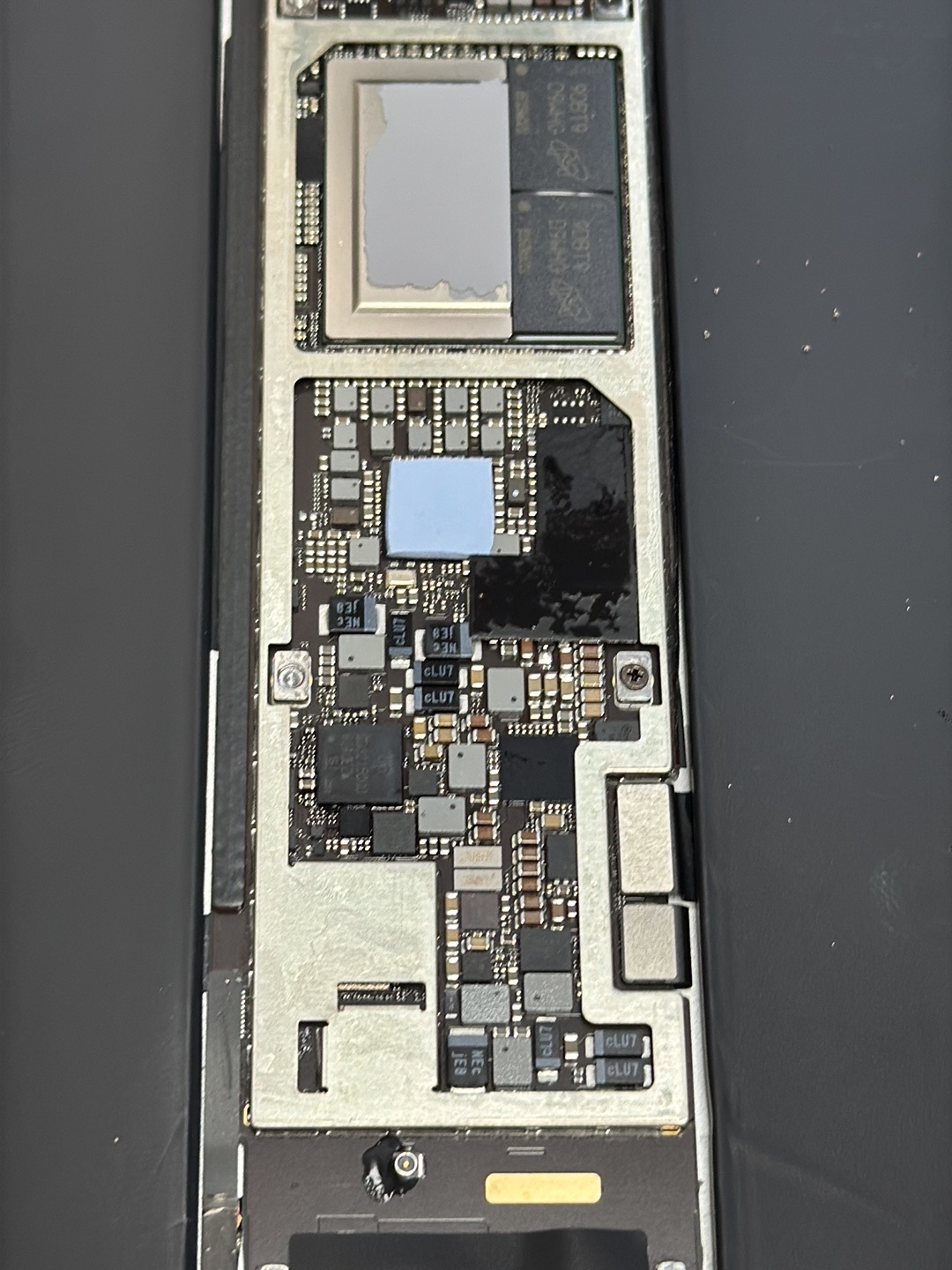
The logic board is the main electronic board inside an iPad. It connects and controls the processor, storage, charging system, display circuits, cameras, Wi-Fi, audio functions, battery communication, and many other components. When one area of the board fails, the iPad may appear completely dead even though the screen, battery, and charging port are still functional.
An experienced technician must perform proper testing before replacing parts. Our diagnostic process can include checking USB current draw, battery voltage, charging voltage, power rails, shorted capacitors, damaged integrated circuits, connector condition, corrosion, and communication between the charger, battery, and motherboard. This detailed approach helps determine whether the fault comes from the logic board, screen, battery, charging port, or another component.
Customers often contact us after searching for iPad motherboard repair near me because another repair shop has already replaced a battery or charging port without fixing the original problem. A device that still does not charge after those replacements may have a defective charging IC, USB communication circuit, power-management circuit, damaged charging line, or motherboard short.
Board-level repair requires specialized microsoldering equipment, diagnostic tools, technical knowledge, and careful handling. Instead of replacing the entire logic board and losing the original stored information, repairing the existing motherboard may preserve the device and its data.
iPad No-Power and Not-Charging Motherboard Repair
An iPad that shows no sign of life may have several possible causes. The battery may be deeply discharged, the charging port may be damaged, the display may have failed, or the motherboard may not be generating the voltages required to start the device. A correct diagnosis is especially important when the iPad remains dead after being connected to a known working charger.
Common motherboard-related symptoms include:
- The iPad does not turn on or respond to buttons.
- The device draws very little or no charging current.
- The Apple logo appears briefly and disappears.
- The iPad repeatedly restarts or remains in a boot loop.
- The battery percentage does not increase.
- The iPad recognizes a cable but does not charge.
- The device becomes warm near one area of the motherboard.
- The iPad works only while connected to a charger.
- The computer does not recognize the connected iPad.
- The screen remains black even though the device may be running.
We inspect the full charging and power system before recommending a repair. Depending on the diagnosis, the solution may involve charging-port replacement, battery replacement, connector repair, charging-controller repair, power-management repair, corrosion removal, trace repair, or component-level motherboard service.
iPad Water Damage and Liquid Damage Motherboard Repair
Water, coffee, juice, cleaning liquid, and other fluids can enter an iPad through the charging port, speakers, buttons, display edges, or damaged glass. Even when an iPad continues working after exposure, moisture can remain inside and gradually corrode motherboard components and connectors.
We provide iPad water damage motherboard repair and iPad liquid damage motherboard repair for devices with no power, charging problems, display issues, touch failure, sound problems, camera faults, Wi-Fi issues, or intermittent operation after liquid exposure.
The repair process may include opening the device, disconnecting the battery, inspecting the internal components, cleaning corrosion, testing the motherboard, replacing damaged board components, repairing broken pads or traces, and checking the connected parts. The final repair depends on how much liquid entered the device, where it travelled, how long it remained inside, and whether the iPad was powered or charged while wet.
Avoid repeatedly trying to power on or charge a wet iPad. Electricity passing through a contaminated motherboard can increase corrosion and create short circuits. Bring the device for professional inspection as soon as possible, especially when important photos, documents, schoolwork, or business information are stored inside.
iPad Data Recovery Through Logic Board Repair
In many cases, the most valuable part of a damaged iPad is not the device itself but the information stored on it. Photos, videos, notes, messages, documents, drawings, business files, and app data may be difficult or impossible to replace.
Our iPad data recovery logic board repair service focuses on repairing the original motherboard sufficiently to make the iPad power on, unlock, and communicate normally. Because iPad data is connected to the original board and its security system, installing another motherboard generally does not restore the information from the damaged device.
Data-recovery repair may be considered when an iPad has no power, severe charging problems, liquid damage, a short circuit, damaged power components, broken connectors, or another board-level failure. Recovery results depend on the condition of the processor, storage components, security hardware, and surrounding circuits. After inspection, we explain whether motherboard repair for data access appears possible.
iPad Screen Repair, Glass Replacement and Display Replacement
Not every damaged iPad requires motherboard work. We also provide complete screen and glass services for customers searching for iPad screen repair near me, iPad screen replacement near me, iPad glass replacement near me, fix iPad screen near me, or iPad screen fix near me.
A cracked outer glass may sometimes be repaired while keeping the original display when the LCD or OLED image and touch functions remain in good condition. Other models use a laminated display assembly that may require complete screen replacement. We inspect the damage and identify whether the device needs glass replacement, digitizer replacement, display replacement, connector repair, or motherboard-level touch and image diagnosis.
Our services include iPad screen repair, iPad screen replacement, iPad glass repair, iPad glass repairs, iPad glass replacement, glass replacement for iPad, broken glass replacement for iPad, iPad Air glass replacement, iPad Pro screen repair, and iPad Pro screen replacement.
Customers frequently ask about the iPad screen repair cost, iPad screen replacement cost, iPad screen repair cost Canada, iPad glass replacement cost, iPad glass replacement price, iPad Pro screen replacement cost, or the cost to replace iPad screen price. Pricing varies according to the exact model, screen size, display technology, part quality, frame condition, and whether the glass and display are separated or combined.
For an accurate quotation, provide the model number from the back of the device or from the iPad settings. A correct model number is important because two iPads with similar screen sizes may use different display assemblies and connectors.
We assist customers looking for iPad screen repair Toronto, fix iPad screen Toronto, iPad screen replacement Newmarket, and nearby screen-repair services. Our Richmond Hill location is convenient for customers travelling from Vaughan, Maple, Markham, Thornhill, Aurora, King City, North York, Toronto, and Newmarket.

iPad Battery Repair and Battery Replacement
An aging or damaged battery can cause short operating time, unexpected shutdowns, slow performance, charging interruptions, battery-percentage changes, overheating, or an iPad that works only while connected to power. We provide iPad battery repair and replacement after testing the battery and charging system.
Customers searching for iPad battery replacement near me or iPad battery replacement Newmarket can bring their devices to our Richmond Hill repair centre. We inspect the charging behaviour, battery condition, connector, and motherboard communication before replacing the battery.
A new battery will not solve every charging problem. If the iPad has a damaged charging port, defective charging controller, battery-communication fault, or motherboard short, the same symptoms may remain after battery replacement. That is why professional diagnosis should come before unnecessary part replacement.
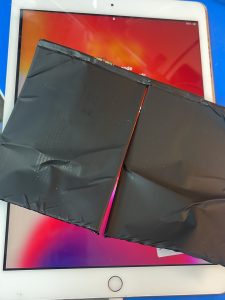
iPad Charging-Port Repair and Replacement
The charging port can become damaged through repeated cable use, debris, corrosion, impact, bent connectors, or liquid exposure. Symptoms can include intermittent charging, charging only at one cable angle, no computer connection, slow charging, or no charging at all.
We offer iPad charging port repair near me services for Lightning and USB-C iPad models. Depending on the model and damage, the charging port may require cleaning, connector repair, flex-cable replacement, or microsoldered port replacement.
Customers also ask about iPad port replacement cost. The price depends on the iPad model, port design, labour required, motherboard condition, and whether additional charging-circuit damage is present. Before replacing the port, we test the charging system to help distinguish a physical connector problem from a logic-board fault.
Complete iPad Repair Services Near You
Maple Cell Phone & Laptop Repair provides much more than motherboard service. Customers searching for iPad repair, iPad repair near me, fix iPad near me, or repair iPad near me can contact us for diagnosis of screen, battery, charging, camera, speaker, microphone, Wi-Fi, button, software, water-damage, and logic-board problems.
Our common iPad services include:
- Logic board and motherboard diagnostics
- No-power motherboard repair
- Not-charging circuit repair
- Short-circuit diagnosis and microsoldering
- Water and liquid damage repair
- Data recovery through original-board repair
- USB-C and Lightning charging-port replacement
- Battery testing and replacement
- Cracked glass and digitizer replacement
- LCD and OLED display replacement
- Touchscreen and touch-connector repair
- Camera, speaker and microphone repair
- Wi-Fi, Bluetooth and connectivity diagnosis
- Boot-loop and restarting diagnosis
- Software restoration and update assistance
iPad Pro Logic Board, Screen, Battery and Charging-Port Repair
We provide iPad Pro repair near me services for both older and newer iPad Pro models. Whether you need an iPad Pro screen replacement, battery replacement, USB-C port repair, no-power diagnosis, liquid-damage service, or motherboard repair, we can inspect the device and recommend the appropriate solution.
Supported iPad Pro Models
- iPad Pro 13-inch 8th generation
- iPad Pro 11-inch 8th generation
- iPad Pro 13-inch 7th generation
- iPad Pro 12.9-inch 6th generation
- iPad Pro 12.9-inch 5th generation
- iPad Pro 12.9-inch 4th generation
- iPad Pro 12.9-inch 3rd generation
- iPad Pro 12.9-inch 2nd generation
- iPad Pro 12.9-inch 1st generation
- iPad Pro 11-inch 5th generation
- iPad Pro 11-inch 4th generation
- iPad Pro 11-inch 3rd generation
- iPad Pro 11-inch 2nd generation
- iPad Pro 11-inch 1st generation
- iPad Pro 10.5-inch
- iPad Pro 9.7-inch
iPad Air Repair
We repair iPad Air models with cracked glass, damaged screens, weak batteries, charging-port faults, liquid damage, no power, boot loops, and motherboard problems. Our services include iPad Air glass replacement, screen replacement, battery replacement, charging-port repair, and logic-board microsoldering.
Supported iPad Air Models
- iPad Air 13-inch models
- iPad Air 11-inch models
- iPad Air 5
- iPad Air 4
- iPad Air 3
- iPad Air 2
Standard iPad Repair
Our standard iPad repair services cover cracked screens, broken glass, damaged charging ports, batteries that drain quickly, no-power problems, water damage, and motherboard faults.
Supported Standard iPad Models
- iPad 11
- iPad 10
- iPad 9
- iPad 8
- iPad 7
- iPad 6
- iPad 5
iPad Mini Repair
Customers searching for iPad Mini repair near me can visit our Richmond Hill location for screen repair, glass replacement, battery replacement, charging-port repair, liquid-damage treatment, data recovery, and motherboard diagnosis.
Supported iPad Mini Models
- iPad Mini 7
- iPad Mini 6
- iPad Mini 5
- iPad Mini 4
iPad Repair in Richmond Hill, Maple, Vaughan and Nearby Cities
iPad Repair in Richmond Hill
Maple Cell Phone & Laptop Repair is located in Richmond Hill and provides convenient service for customers searching for iPad repair Richmond, iPad motherboard repair, screen replacement, battery replacement, charging-port repair, and data recovery.
iPad Repair in Maple and Vaughan
We regularly assist customers searching for iPad repair in Maple, iPad Pro repair in Maple, iPad repair in Vaughan, and iPad repair Vaughan. Our shop is accessible for customers who need professional diagnosis instead of replacing parts without confirming the actual cause.
We also serve customers looking for iPad repair near Wonderland and iPad Pro repair near Wonderland. Whether the device has a cracked screen, damaged USB-C port, weak battery, liquid damage, or a no-power motherboard fault, our team can inspect it.
iPad Repair in Toronto and North York
Customers looking for iPad repair Toronto, iPad screen repair Toronto, fix iPad screen Toronto, or iPad logic-board repair can contact our Richmond Hill repair centre. We also assist customers from North York who need advanced board-level service.
iPad Repair in Aurora, King City, Newmarket, Markham and Thornhill
Our service area includes Aurora, King City, Newmarket, Markham, and Thornhill. We provide screen replacement, glass repair, battery replacement, charging-port repair, water-damage service, and motherboard repair for customers throughout York Region and the Greater Toronto Area.
Customers searching for iPad screen replacement Newmarket or iPad battery replacement Newmarket can contact us with their exact iPad model for repair information and an estimated price range.
iPad Parts and Repair Quality
The quality of the replacement part can affect display brightness, touch sensitivity, colour, durability, battery performance, and overall reliability. We offer appropriate replacement options based on the iPad model and repair requirements. When available and suitable, we use high-quality or OEM-grade parts and explain the available choices before completing the repair.
Some customers search for iPad parts Toronto because they plan to repair a device themselves. However, iPads are tightly assembled and can be damaged during opening if the correct tools and procedures are not used. Screen cables, battery connectors, antennas, cameras, and motherboard components can be damaged accidentally. Professional repair may reduce the risk of additional damage.
Why Choose Maple Cell Phone & Laptop Repair?
- Advanced logic-board and motherboard diagnosis
- Professional microsoldering and component-level repair
- Screen, battery and charging-port services in one location
- Experience with no-power and not-charging iPads
- Water and liquid damage motherboard repair
- Data-recovery-focused logic-board service
- Support for many iPad Pro, iPad Air, iPad and iPad Mini models
- Convenient Richmond Hill location
- Service for customers across York Region and Toronto
- Clear diagnosis before major repair work begins
Frequently Asked Questions About iPad Repair
Can you repair an iPad motherboard that does not power on?
Many no-power problems can be repaired, depending on the damaged circuit and the overall condition of the board. The iPad must be diagnosed to determine whether the fault involves the charging system, power-management circuit, battery communication, display circuit, corrosion, or another component.
Can a charging-port replacement fix an iPad that will not charge?
Yes, when the physical charging port is damaged. However, a defective battery, charging controller, motherboard line, cable, charger, or software problem can produce similar symptoms. Testing is needed before replacing the port.
How much does iPad screen replacement cost?
The cost depends on the exact iPad model, screen size, display technology, part type, and extent of the damage. Contact us with the model number for a more accurate quotation.
Can you replace only the broken glass?
Glass-only replacement may be possible on certain models when the original display image and touch system remain functional. Other models may require replacement of the full laminated display assembly.
Can you recover data from a dead iPad?
Data recovery may be possible when the original motherboard can be repaired enough to start and unlock the device. Success depends on the condition of the board, storage, processor, and security-related components.
Do you repair liquid-damaged iPads?
Yes. We inspect and clean liquid-damaged devices, test the motherboard, and repair damaged components when possible. The repair outcome depends on the type of liquid, the affected area, and the severity of corrosion.
Should I replace my iPad or repair the logic board?
The best choice depends on the model, repair cost, physical condition, stored data, and replacement value. After diagnosis, we can explain the repair options so you can make an informed decision.