iPhone Overheating? Causes, Solutions & iPhone Repair Near Me in Richmond Hill
Is your iPhone getting unusually hot while charging, using apps, installing an iOS update, recording videos, or even when you are barely using it? An iPhone may become warm during normal use, but repeated or excessive overheating should not be ignored.
At Maple Cell Phone & Laptop Repair in Richmond Hill, we diagnose and repair many iPhone problems, including overheating, battery issues, charging problems, liquid damage, no-power problems, and motherboard or logic board faults. If you are searching for iPhone repair near me, phone repair near me, or iPhone repair Richmond Hill, understanding why your device is getting hot is the first step toward finding the right solution.
Overheating does not automatically mean that your iPhone has a bad motherboard or needs an expensive repair. Software activity, charging, environmental temperature, battery condition, applications, poor cellular reception, and hardware problems can all contribute to excessive heat.
Why Is My iPhone Overheating?
Your iPhone contains a powerful processor, battery, charging circuitry, cameras, wireless radios, storage, display electronics, and many other components packed into a very small space. All of these components produce some heat while operating.
It can therefore be normal for an iPhone to feel warm when you are playing demanding games, recording high-resolution video, using GPS navigation, transferring large amounts of data, restoring a backup, installing an iOS update, or charging the battery.
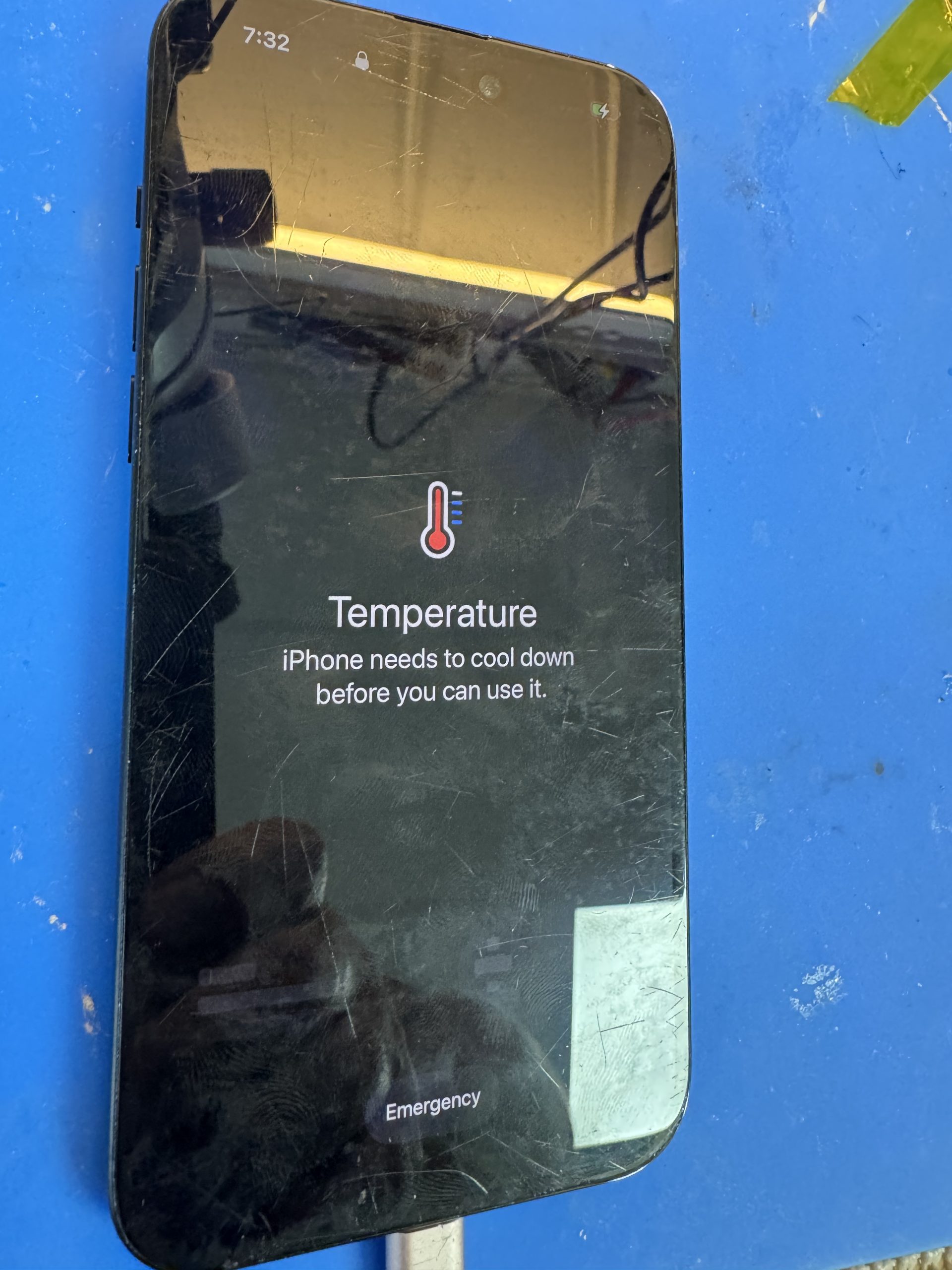
The situation becomes more concerning when the phone becomes excessively hot during light use, repeatedly overheats, displays a temperature warning, loses battery power unusually quickly, shuts down unexpectedly, or becomes hot while it is sitting unused.
If these symptoms continue, professional Apple iPhone repair diagnostics can help determine whether the cause is related to the battery, charging system, liquid damage, software, or another internal component.
iPhone Overheating After an iOS Update
Some iPhone owners notice that their device becomes warmer after installing a major iOS update. This does not necessarily mean the update damaged the iPhone.
After an update, the device may perform background tasks such as indexing files, organizing photos, updating applications, synchronizing cloud information, rebuilding search data, and completing other system processes. Increased processor activity can temporarily produce additional heat and battery consumption.
If you recently updated your iPhone and it feels slightly warmer than usual, reduce heavy usage and give the device time to complete its background work. Also check whether another iOS update is available and update your applications through the App Store.
However, an iPhone that continues getting extremely hot after the normal post-update activity has finished may require additional troubleshooting.
What Should You Do When Your iPhone Gets Too Hot?
If your iPhone suddenly becomes very hot, stop demanding activities and allow it to cool naturally. Close games, navigation, camera recording, video editing, and other processor-intensive applications.
If the phone is charging, disconnect it and wait until the temperature returns to normal before charging again. You can also remove a thick protective case temporarily if it appears to be trapping heat.
Move the iPhone away from direct sunlight, a hot vehicle, heater, or other high-temperature environment. A normal indoor environment with comfortable airflow is preferable.
Do not put an overheated iPhone in a refrigerator or freezer. Rapid temperature changes can create condensation and introduce moisture where you definitely do not want it.
Can Background Apps Make an iPhone Hot?
Applications running or refreshing in the background can increase processor, network, GPS, and battery activity. If overheating began after installing or updating a particular application, check whether that app is consuming unusual battery power.
You can also review Background App Refresh in the iPhone settings. Applications that do not need constant background activity can be restricted.
Location services are another area worth checking. Navigation, delivery, social media, fitness, and other location-based applications can repeatedly access GPS and network services. Consider allowing location access only while using an application when continuous access is unnecessary.
Weak Cellular Signal Can Contribute to Heat
An often overlooked cause of increased battery use is poor cellular reception. When reception is weak, the phone may work harder to maintain a connection to the network.
If you notice that your iPhone gets hotter in a particular basement, building, elevator, parking garage, or low-signal area, connectivity may be contributing to the problem.
Airplane Mode can temporarily disable wireless radios while troubleshooting, although you will not receive normal cellular communications while it is enabled.
iPhone Overheating While Charging
Some warmth during charging can be normal, but excessive heat deserves attention. If your iPhone becomes extremely hot every time it is connected to a charger, stop charging it and inspect the charging setup.
A damaged cable, charging adapter, contaminated connector, charging-port problem, battery issue, or internal electrical fault can potentially contribute to abnormal charging behavior.
Do not continue repeatedly charging an iPhone that becomes excessively hot simply because it still accepts a charge.
If you are looking for iPhone charging port repair Toronto, Richmond Hill, Vaughan, Maple, or surrounding areas, our technicians can inspect the charging system and determine whether the port actually requires repair or whether the problem originates elsewhere.
Can a Bad Battery Cause an iPhone to Overheat?
The battery is an important part of any overheating diagnosis. Lithium-ion batteries naturally age and lose capacity over time. A battery problem can sometimes be associated with excessive heat, rapid battery drain, unexpected shutdowns, charging difficulties, or poor performance.
Check the battery information available in your iPhone settings. Battery-health information can be useful, but a percentage alone does not diagnose every possible battery or charging problem.
If the battery drains extremely quickly and the phone repeatedly becomes unusually hot, professional testing may be appropriate.
At Maple Cell Phone & Laptop Repair, we provide iPhone battery diagnosis and replacement for many iPhone generations. We recommend identifying the actual cause before replacing parts unnecessarily.
iPhone Charging Port Problems and Overheating
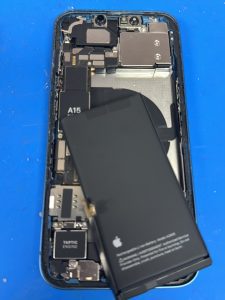
Your charging port is used constantly. Dust, pocket debris, corrosion, moisture, damaged connectors, repeated cable insertion, and physical damage can interfere with normal charging.
Common charging-related symptoms can include intermittent charging, charging only at a certain cable angle, failure to charge, slow charging, or unusual heat around the device during charging.
A charging problem does not always mean the port itself needs replacement. Proper inspection is important because similar symptoms can sometimes originate from the battery, cable, adapter, software, charging circuitry, or motherboard.
If you need phone repair near me because your iPhone is not charging correctly, our Richmond Hill repair location can diagnose the charging system before recommending a repair.
Can Water or Liquid Damage Cause iPhone Overheating?
Liquid exposure can create much more complicated problems than a wet charging port. Moisture entering an iPhone can cause corrosion or electrical problems on internal components and connectors.
An iPhone affected by liquid may initially continue operating and develop problems later. Symptoms can include charging difficulties, battery drain, no power, camera problems, display issues, unstable operation, or unusual heat.
If an iPhone begins overheating after significant liquid exposure, professional inspection is recommended. Continuing to charge or heavily use a device with an unresolved internal liquid-damage problem may make diagnosis more difficult.
Our technicians work on iPhone liquid-damage and motherboard-related problems. The appropriate repair depends on what testing reveals rather than simply replacing parts based on symptoms.
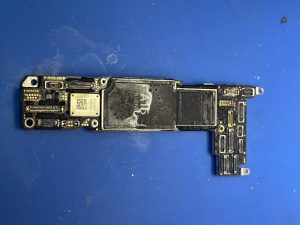
iPhone Motherboard and Logic Board Problems
The iPhone logic board—commonly called the motherboard—contains many of the components responsible for power management, charging, storage, communication, and device operation.
A motherboard problem can sometimes produce symptoms that look similar to battery or charging-port problems. This is why motherboard repair should never be the first assumption simply because an iPhone is overheating.
Professional board-level diagnosis may be necessary when an iPhone has experienced liquid damage, physical damage, previous unsuccessful repairs, unusual power consumption, charging problems, no power, or other complex electrical faults.
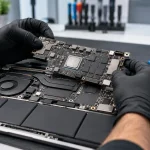
Maple Cell Phone & Laptop Repair provides board-level diagnostic and iPhone motherboard repair services for suitable cases. Our goal is to determine the defective area and evaluate whether board-level repair is practical.
iPhone Overheating and Data Recovery
Overheating becomes particularly concerning when the iPhone contains important photos, contacts, documents, messages, or other data that has not been backed up.
If an unstable iPhone is repeatedly shutting down, not charging, or no longer powering on, avoid unnecessary experimentation that could complicate the original problem.
People searching for iPhone data recovery near me, iPhone data recovery Toronto, iPhone logic board data recovery, or iPhone motherboard data recovery may be dealing with devices where repairing the original logic board is relevant to accessing the data.
Data-recovery possibilities depend heavily on the condition of the individual device. No responsible repair shop should guarantee recovery before inspecting the phone.
Why Does My iPhone Overheat and Lose Battery Fast?
Overheating combined with rapid battery drain is an important symptom because the two issues may be connected. A processor working continuously, excessive background activity, poor reception, demanding applications, battery deterioration, charging problems, or hardware faults can increase energy consumption and heat.
Start by checking the iPhone’s battery-usage information to see whether a particular application is consuming an unusually large percentage of power.
If there is no obvious software explanation and the device remains hot during minimal use, a diagnostic inspection can help narrow down the cause.
Force Restarting an iPhone
If a software process appears to be stuck and the iPhone is behaving abnormally, restarting the device can sometimes help. On many newer Face ID iPhones, the force-restart sequence involves pressing and releasing Volume Up, pressing and releasing Volume Down, and then holding the Side button until the Apple logo appears.
Button sequences can vary by iPhone generation, so confirm the correct procedure for your model before attempting it.
A restart may resolve a temporary software process, but it will not repair a physically damaged battery, charging port, liquid-damaged circuit, or defective motherboard component.
Protect Your iPhone From Excessive Heat
Environmental heat is another major consideration. Avoid leaving your iPhone inside a parked vehicle or exposed to strong direct sunlight for extended periods. A vehicle interior can become extremely hot even when the outdoor temperature seems manageable.
Do not cover a charging phone with pillows, blankets, clothing, or other materials that restrict normal heat dissipation. If you notice excessive heat specifically when using a particular charger or cable, stop using that setup until you determine whether the accessory is appropriate and functioning correctly.
Is It Safe to Use a Cell Phone in the Bathtub?
One of the queries appearing in our search data is is it safe to use a cell phone in the bathtub. Water and powered electronic devices are a poor combination, and charging equipment should be kept away from bathtubs, sinks, and other wet environments.
Another related search is why we should not take phone in toilet. Bathrooms expose phones to moisture, accidental drops, contamination, and potential liquid damage. Keeping your phone away from wet environments can help prevent charging-port corrosion and internal damage.
Can Overheating Damage the iPhone Screen?
Excessive heat can affect electronic components and battery performance, and temperature management is built into the iPhone to help protect the device. If the phone displays a temperature warning, allow it to cool rather than attempting to force continued operation.
If your iPhone also has a physically damaged display, you may be searching questions such as is it worth fixing a cracked iPhone screen or is replacing iPhone screen worth it.
Whether screen replacement makes sense depends on the iPhone model, overall condition, repair cost, and whether other problems are present. We provide iPhone screen diagnosis and replacement for many models in Richmond Hill.
iPhone Camera Problems and Excessive Heat
Long periods of high-resolution video recording or other camera-intensive tasks can increase processor activity and make an iPhone warmer. This can be normal within reasonable limits.
Physical camera damage is a different problem. Search terms such as iPhone camera lens repair, iPhone camera glass repair, and fix iPhone camera lens generally refer to impact or component damage rather than overheating itself.
If your iPhone has both camera problems and abnormal overheating after being dropped or exposed to liquid, tell the technician about both symptoms because they may help with diagnosis.
When Does an Overheating iPhone Need Professional Repair?
Consider professional diagnosis if your iPhone repeatedly becomes excessively hot during light use, continues overheating after software updates have settled, loses battery power unusually quickly, has charging problems, experienced liquid exposure, shuts down unexpectedly, fails to power on, or displays recurring temperature warnings.
The important point is to diagnose before replacing components. An overheating phone does not automatically need a battery, charging port, or motherboard. Different faults can produce similar symptoms.
iPhone Repair Near Me in Richmond Hill
If troubleshooting does not solve the problem and you are searching for iPhone repair near me, phone fix near me, cell phone repair near me, or mobile phone repair near me, Maple Cell Phone & Laptop Repair provides professional iPhone diagnostics and repair services in Richmond Hill.
Our services include iPhone screen repair, battery replacement, charging-port repair, camera repair, back-glass repair, liquid-damage diagnosis, motherboard repair, no-power diagnosis, and data-recovery services.
iPhone Repair Richmond Hill, Maple and Vaughan
Our Richmond Hill location serves customers searching for phone repair Richmond Hill, iPhone repair Richmond Hill, iPhone repair Richmond, cell phone repair Richmond Hill, iPhone repair in Maple, phone repair Vaughan, cell phone repair Vaughan, and iPhone repair in Vaughan.
We also welcome customers from Thornhill, Markham, Aurora, King City, Newmarket, North York, Toronto, and surrounding communities.
Frequently Asked Questions About iPhone Overheating
Why is my iPhone suddenly overheating?
Possible causes include demanding applications, background activity, an iOS update, navigation, poor cellular reception, charging, environmental heat, battery problems, or other hardware issues. Persistent overheating requires diagnosis rather than assuming one particular component is defective.
Is iPhone overheating after an iOS update normal?
Some additional warmth can occur temporarily while the iPhone performs post-update background tasks. Persistent or severe overheating after those activities have finished should be investigated.
Can an old iPhone battery cause overheating?
A deteriorated or defective battery can be one possible factor, particularly when excessive heat occurs together with abnormal battery drain or charging behavior. Battery testing can help determine whether replacement is appropriate.
Why does my iPhone get hot while charging?
Some warmth during charging is expected. Excessive heat can be associated with the charging environment, heavy use while charging, accessories, battery condition, charging-port problems, or internal faults.
Should I put an overheating iPhone in the freezer?
No. Allow the phone to cool naturally in a normal, cooler environment. Extreme temperature changes can create additional problems, including condensation.
Can liquid damage cause an iPhone to overheat?
Liquid intrusion can cause corrosion and electrical faults, so abnormal heat following liquid exposure should be professionally inspected.
Can an iPhone motherboard be repaired?
Some logic-board faults can be repaired using board-level diagnostic and microsoldering techniques. Repair feasibility depends on the specific damage and condition of the device.
Can you recover data from a dead iPhone?
In some cases, data recovery may be possible, but it depends on the condition and type of failure. Devices requiring iPhone logic board data recovery need individual diagnosis before recovery possibilities can be determined.
Professional iPhone Overheating Diagnosis in Richmond Hill
An iPhone becoming warm does not necessarily mean something is broken. Heavy applications, charging, navigation, video recording, software updates, data transfers, and background processing can all create temporary heat.
However, repeated excessive overheating—particularly when combined with rapid battery drain, charging failure, unexpected shutdowns, liquid exposure, or no-power symptoms—should not be ignored.
At Maple Cell Phone & Laptop Repair, we diagnose the complete device before recommending a repair. Depending on the actual fault, the solution could involve software troubleshooting, battery replacement, charging-port repair, liquid-damage repair, motherboard repair, or another component-level service.
If you are looking for phone repair near me, iPhone repair near me, phone repair Richmond Hill, iPhone repair Richmond Hill, iPhone repair in Maple, or phone repair Vaughan, contact Maple Cell Phone & Laptop Repair for professional diagnosis.
Maple Cell Phone & Laptop Repair
360 Newkirk Rd., Richmond Hill, Ontario
Same building as James Snow Storage
Tel: 416-587-7105